Log in

Resource
Create SEO & GEO Optimised Content
Contents
- Navigating the SEO and GEO Optimisation Landscape
- Step-By-Step Workflow for Creating Optimised Content
- Defining Your Project and Keywords
- Setting the Geographic Location for Content
- Configuring Governance and Generating Content
- Advanced Optimisation Techniques for AI and Search Engines
- Select SEO Optimisation Type
- Analysing Competitors and Fine-Tuning for Performance
- Benchmarking Word Count, Links, and Rank Score
- Customising Output in KoalaWriter
- Some Things To Remember:
Published on
16th April 2026
Read time
21 mins
Sign up to our newsletter
Get the latest course, community and company news!
The rules of online visibility have changed, and pretending otherwise is like showing up to a rocket launch with a horse and cart. For the past two decades, SEO ruled the roost, optimise your headers, build some backlinks, and watch the traffic flow in. Now, artificial intelligence tools like ChatGPT, Perplexity, and Google's AI Overviews are answering questions directly, which means your potential customers might never click through to your website at all. If your brand isn't showing up in AI-generated answers, you're effectively invisible to a growing portion of your audience.
This is where Generative Engine Optimisation (GEO) enters the picture. Whilst SEO focuses on ranking your website higher in search results, GEO ensures your brand gets mentioned and cited when AI tools synthesise answers from multiple sources. The catch is that AI doesn't just look at your website, it pulls from Reddit, YouTube, Wikipedia, review sites, and anywhere else it deems trustworthy. You need to be visible across all these platforms, not just your own domain.
Creating content that works for both traditional search engines and AI-powered tools isn't about choosing one approach over the other. You need both working together. This guide walks you through exactly how to create content that ranks on Google, gets cited by AI, and actually helps real people find your brand when they're making decisions.
Navigating the SEO and GEO Optimisation Landscape
SEO has dominated digital marketing for decades, but AI-supported search systems are changing how people find information. Understanding both SEO and GEO helps you show up in traditional search results and AI-generated answers.
What Makes GEO Different from Traditional SEO?
Traditional SEO focuses on ranking your website high in search results. You optimise keywords, build backlinks, and improve page speed to climb Google's rankings. GEO works differently because AI systems don't just rank pages.
When someone asks ChatGPT or Claude 4.5 Sonnet Model a question, these systems pull information from multiple sources to create one answer. They cite sources instead of listing ten blue links. Your goal shifts from ranking first to being mentioned and cited.
| SEO Focus | GEO Focus |
|---|---|
| Keyword rankings | Brand mentions |
| Click volume | Citation share |
| Your domain only | Multi-platform presence |
| Link building | Authority signals |
Research shows only 10-12% of AI citations match Google's top ten results. You can't rely on your website alone. AI systems pull heavily from Reddit (22.9%), YouTube (13.4%), Wikipedia (6.4%), and LinkedIn (4.0%). That means your content needs to exist beyond your blog.
The Rise of AI-Driven Search Engines
AI-supported search systems aren't coming. They're already here. 55% of enterprise buyers start their search with AI tools, and 47% use them for market research.
Google now shows AI Overviews in roughly 16% of searches. ChatGPT handles 3.2% of desktop searches. Perplexity, Gemini, and Claude are growing fast.
Here's what makes this shift urgent: AI compresses the buyer's journey. Someone can research a problem, compare solutions, and narrow their shortlist in one conversation. They're not clicking through multiple websites over several days.
When they finally visit your site, they're already qualified. Ahrefs found that ChatGPT drives only 0.5% of traffic but accounts for 12.1% of new signups. That's a conversion rate 24 times higher than average traffic sources. The catch? You need AI to mention you first.
Why Your Content Needs to Please Both Humans and Machines
You can't abandon SEO for GEO. They work together. Your website still needs solid technical foundations, clear headers, and fast loading times. AI systems often favour content that already ranks well in traditional search.
But machines read differently than humans. AI models scan for direct answers, authoritative sources, and comprehensive coverage. They value clarity over cleverness.
Write content that answers specific questions directly. Use clear language and structured formatting. Break complex topics into digestible sections. Get yourself over to app.frase.io if you need help identifying the questions your audience actually asks.
The good news? Content that works for AI usually works better for humans too. Nobody wants to wade through fluff to find an answer. Short paragraphs, clear headings, and straightforward language help both audiences. Your content just needs to be more discoverable across platforms AI systems trust.
Step-By-Step Workflow for Creating Optimised Content
Creating content that ranks well in both traditional search and AI-powered platforms requires a systematic approach. Frase simplifies this process by combining keyword research, content generation, and optimisation tools in one platform.
Trust me, this is a game-changer and using this process almost guarantees your content will rank.
Starting an SEO Content Project with Frase
Creating content that ranks well in both traditional search and AI-powered platforms requires a systematic approach. Frase simplifies this process by combining keyword research, content generation, and optimisation tools in one platform.
Trust me, this is a game-changer and using this process almost guarantees your content will rank.
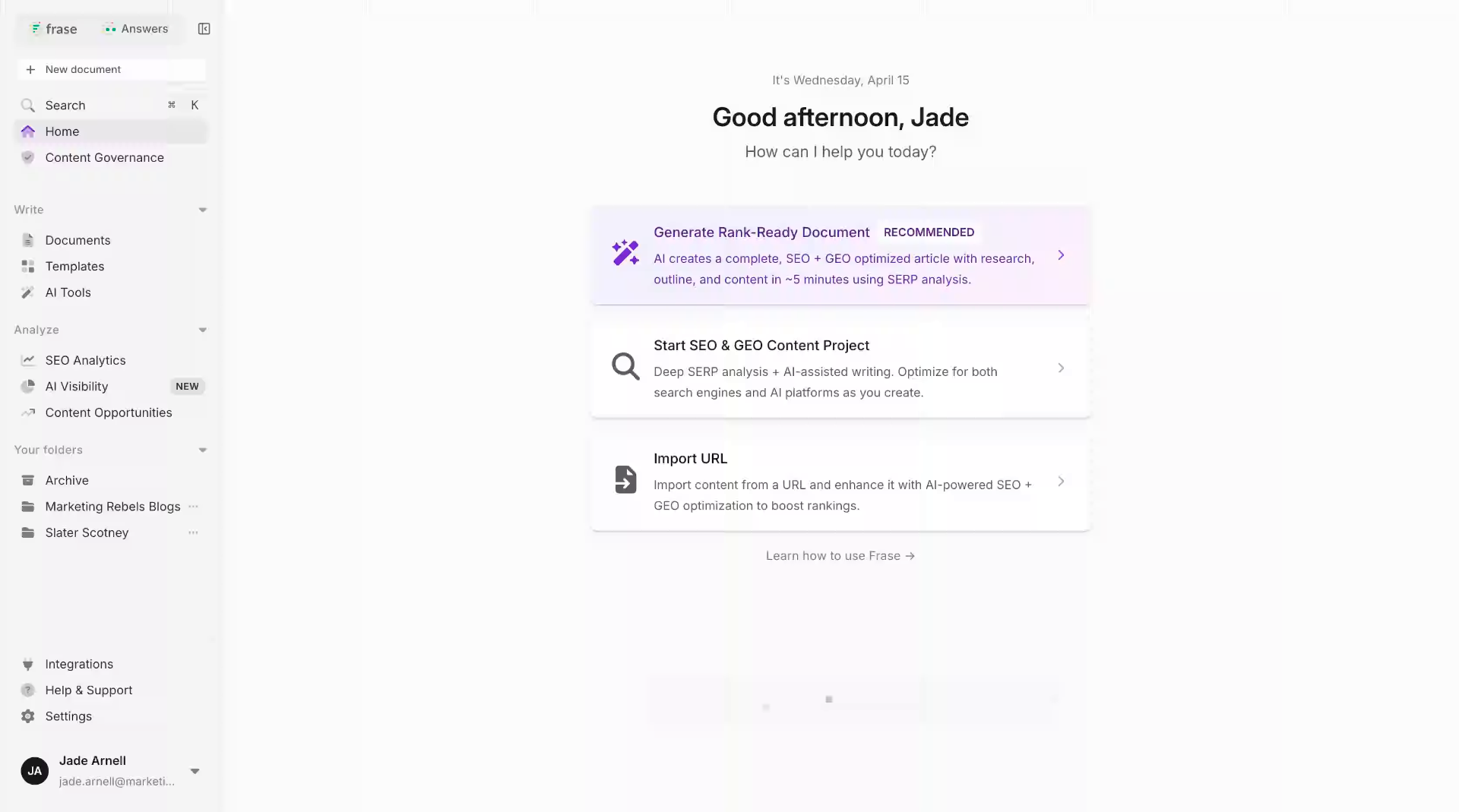
You'll need to create a new project in app.frase.io, to begin your content journey. Click the "Start SEO & GEO Content Project" button on your dashboard to get started.
Frase connects to search engines to analyse what's already ranking for your target topics. It pulls data from top-performing pages so you don't have to tab through dozens of browser windows like some kind of digital archaeologist. The system works fast - usually within seconds you'll have a complete research brief ready to go.
Defining Your Project and Keywords
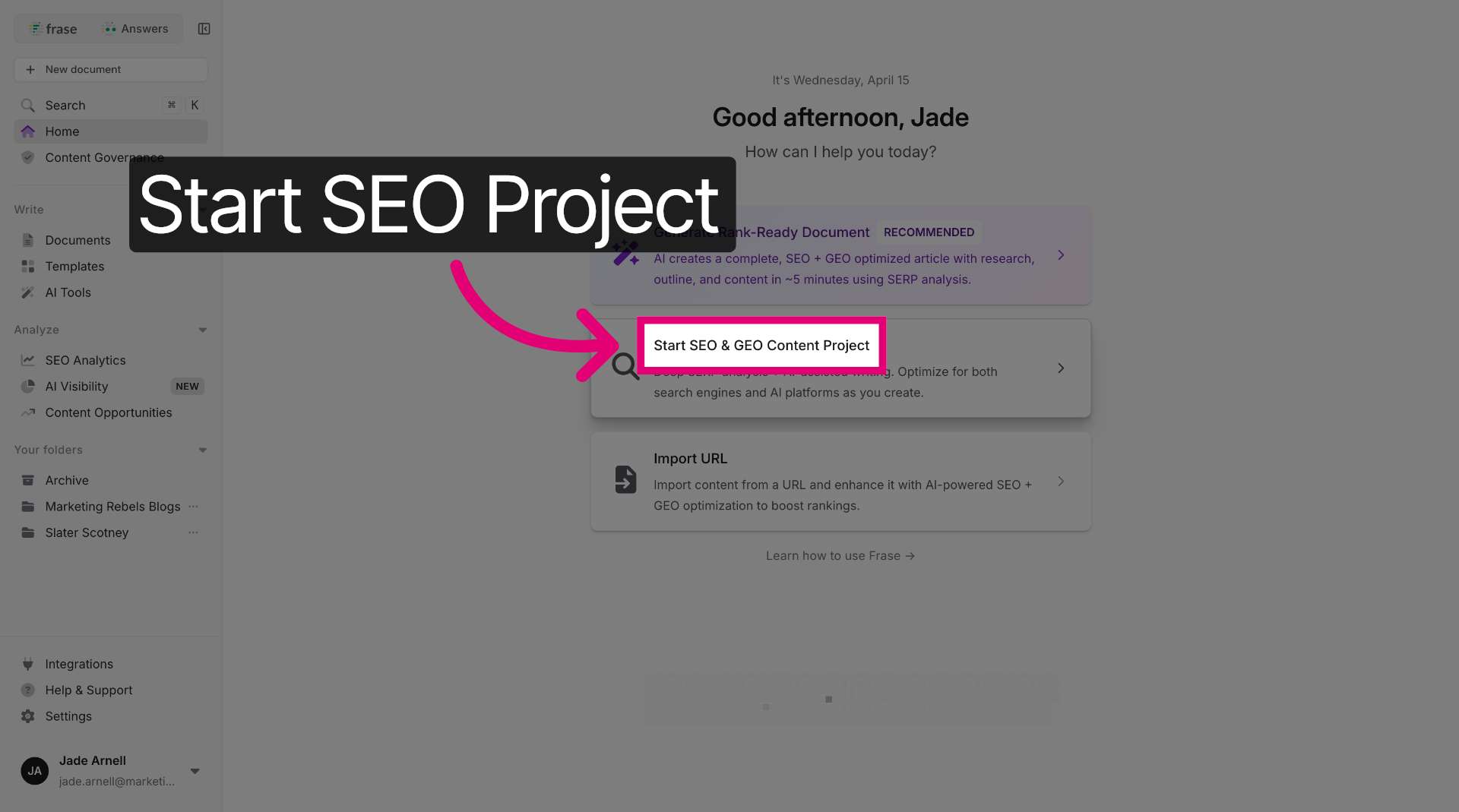
Enter your main target keyword in the project setup field. This keyword should match what your audience actually types into search engines.
Be specific rather than vague. "How to create SEO content" works better than just "SEO". Remember that AI search queries average 23 words whilst Google searches use about 4 words. Your keyword should reflect the conversational way people ask questions.
Frase analyses the top 20 results for your chosen keyword. It identifies common topics, questions, and terms that high-ranking content includes. This research phase reveals what search engines and AI systems expect to see in quality content about your topic.
The platform also suggests related keywords and questions. These help you build semantic depth - something AI models love when deciding which content to cite.
Setting the Geographic Location for Content
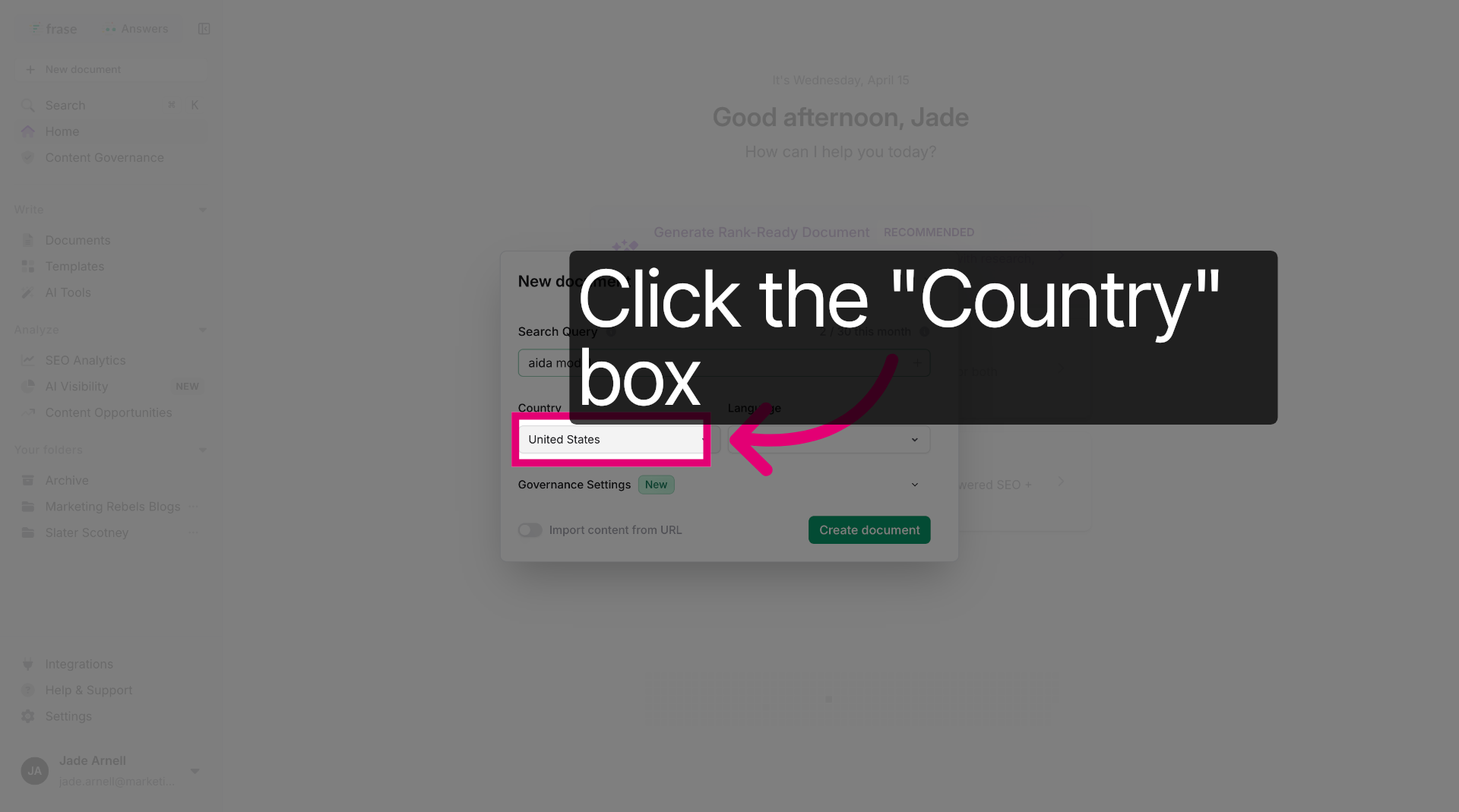
Click the location settings in your project configuration. Select your target country from the dropdown menu - choose "United States" for American audiences or "United Kingdom" for British readers.
This geographic targeting matters more than you might think. Search results vary significantly by location. What ranks first in London might not even appear on page one in Los Angeles.
Enter a specific location keyword if your content targets local searches. Type "Manchester" or "Texas" to get results tailored to those areas. This helps particularly with local business content or region-specific topics.
The location setting affects which competitors Frase analyses and what questions it surfaces. You'll get insights based on what actually ranks in your target market rather than generic global results.
Configuring Governance and Generating Content
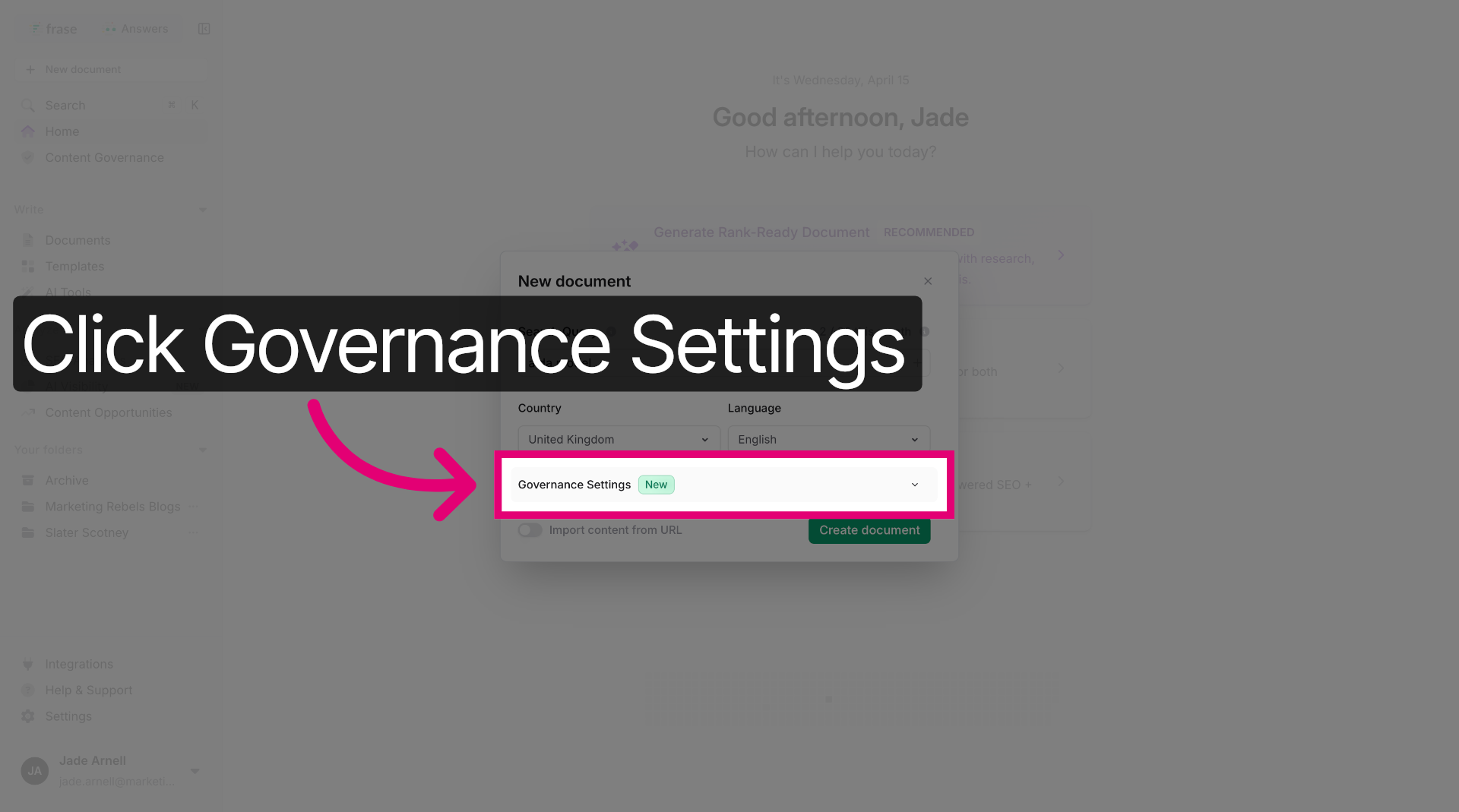
Access the governance settings to establish your content guidelines. These controls ensure consistency across all your content projects.
Set your preferred tone of voice, reading level, and style preferences. Choose British English if you're targeting UK audiences - because "optimise" and "optimize" aren't interchangeable when you're trying to look professional.
Configure your brand voice parameters. Add words or phrases to avoid. Include terms you want to emphasise. This governance layer keeps your content on-brand even when multiple team members create documents.
Start the content generation process once your settings are configured. The AI analyses your research brief and generates initial content based on top-ranking pages. You can generate full sections or paragraph by paragraph depending on your preference.
Review and edit the generated content to add your expertise and real-world examples. AI provides the structure, but your unique insights make content worth citing.
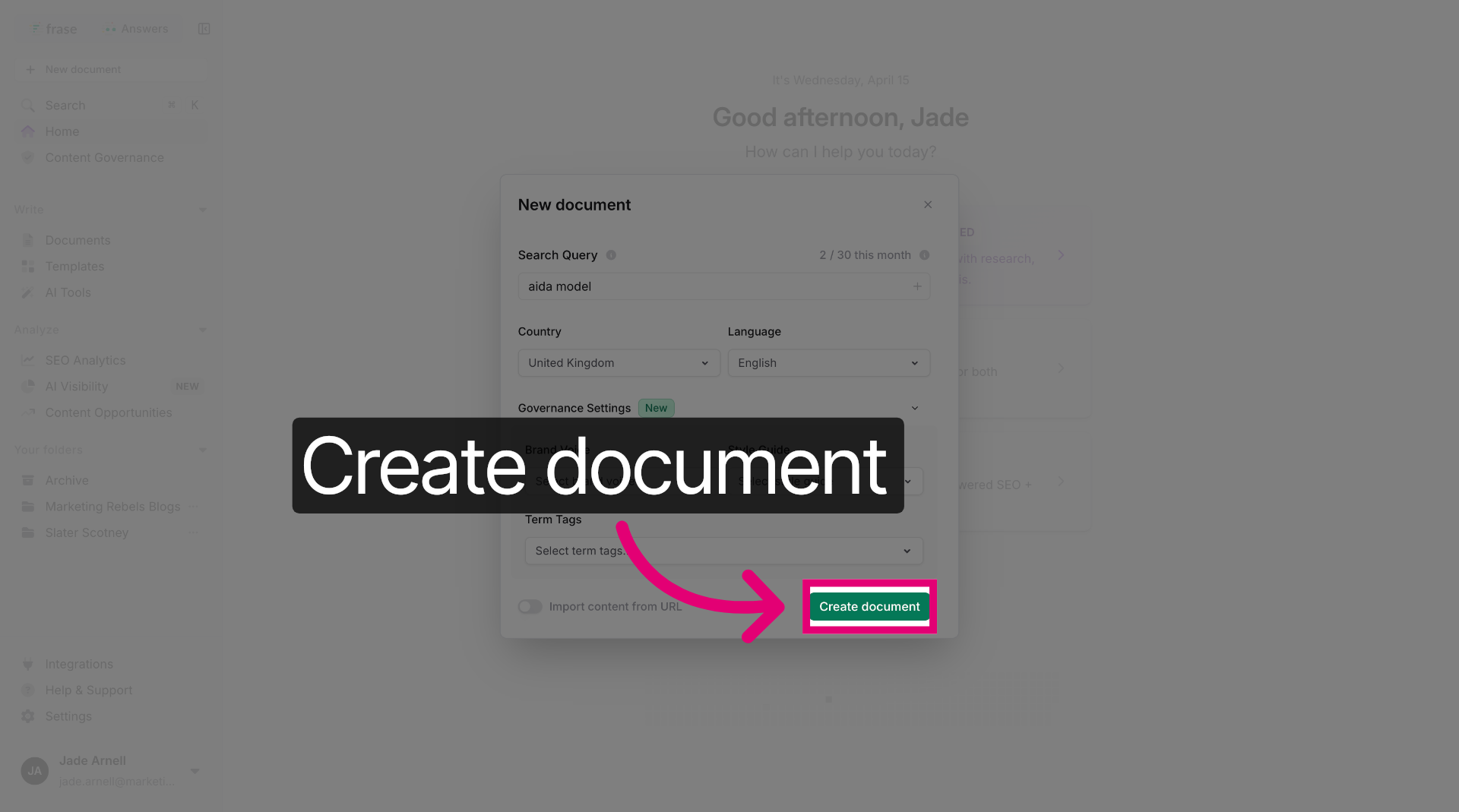
Click "Create document" to generate a new content document within the project.
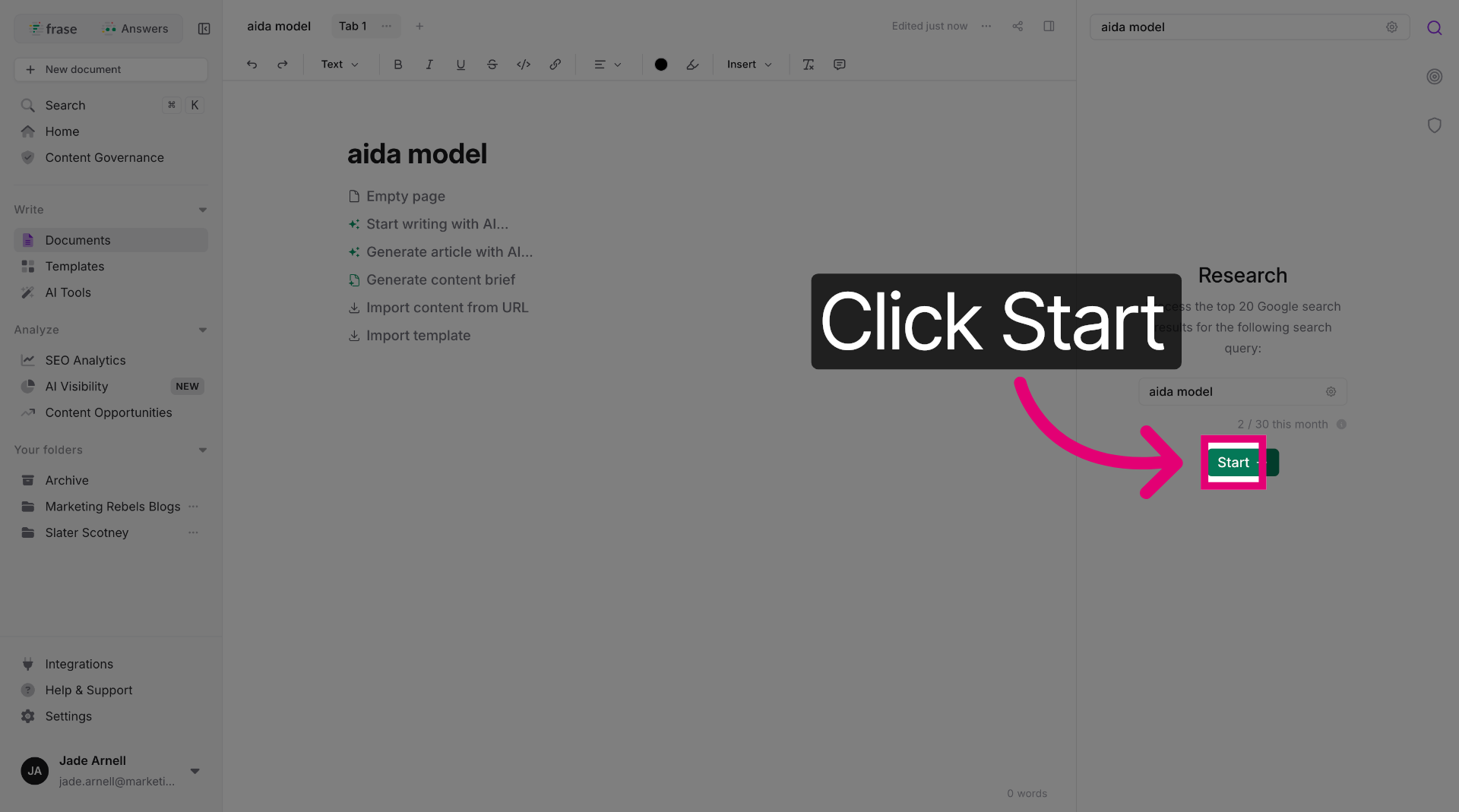
Click "Start" on the right-hand-side to initiate the content creation process for your document.
Advanced Optimisation Techniques for AI and Search Engines
Modern content tools offer specialised features that help you fine-tune your work for both traditional search engines and AI platforms. These settings let you control keyword usage, switch between AI models, and customise how your content gets generated.
Accessing SEO Optimisation Options
Most AI writing tools hide their best features behind menus that you might miss if you're not paying attention. Look for buttons or tabs labelled "SEO Settings" or "Optimisation Options" in your content editor's toolbar.
Once you've found these settings, you'll see different types of SEO optimisation available. Some tools offer basic keyword density controls whilst others provide advanced options like semantic keyword suggestions and competitor analysis. The key is selecting the right optimisation type for your content goals.
Common SEO optimisation types include:
- Keyword density optimisation
- LSI keyword integration
- Competitor-based optimisation
- Entity-focused optimisation
After generating your optimised content, use the copy-to-clipboard function to transfer it to your content management system. This preserves all formatting and makes it easy to paste directly into WordPress or other platforms without losing structure.
Selecting and Using LSI Keywords
LSI (Latent Semantic Indexing) keywords are related terms that help search engines and AI tools understand your content's context better. They're not just synonyms but words that naturally appear together in similar content.
Frase will suggest LSI keywords based on your main topic. It crawls the highest ranking sites in the SERP and finds patterns in the most frequently used words for your topic. You're going to use these suggested LSI keywords to create your content.
Integrate LSI keywords where they make sense conversationally. If you're writing about "laptop batteries," related LSI terms might include "battery life," "charging cycles," and "power management." These words help both Google and ChatGPT recognise your content as comprehensive.
Most tools show you a keyword score or density metre. Aim for natural placement rather than hitting specific percentages, as over-optimisation can harm your rankings.
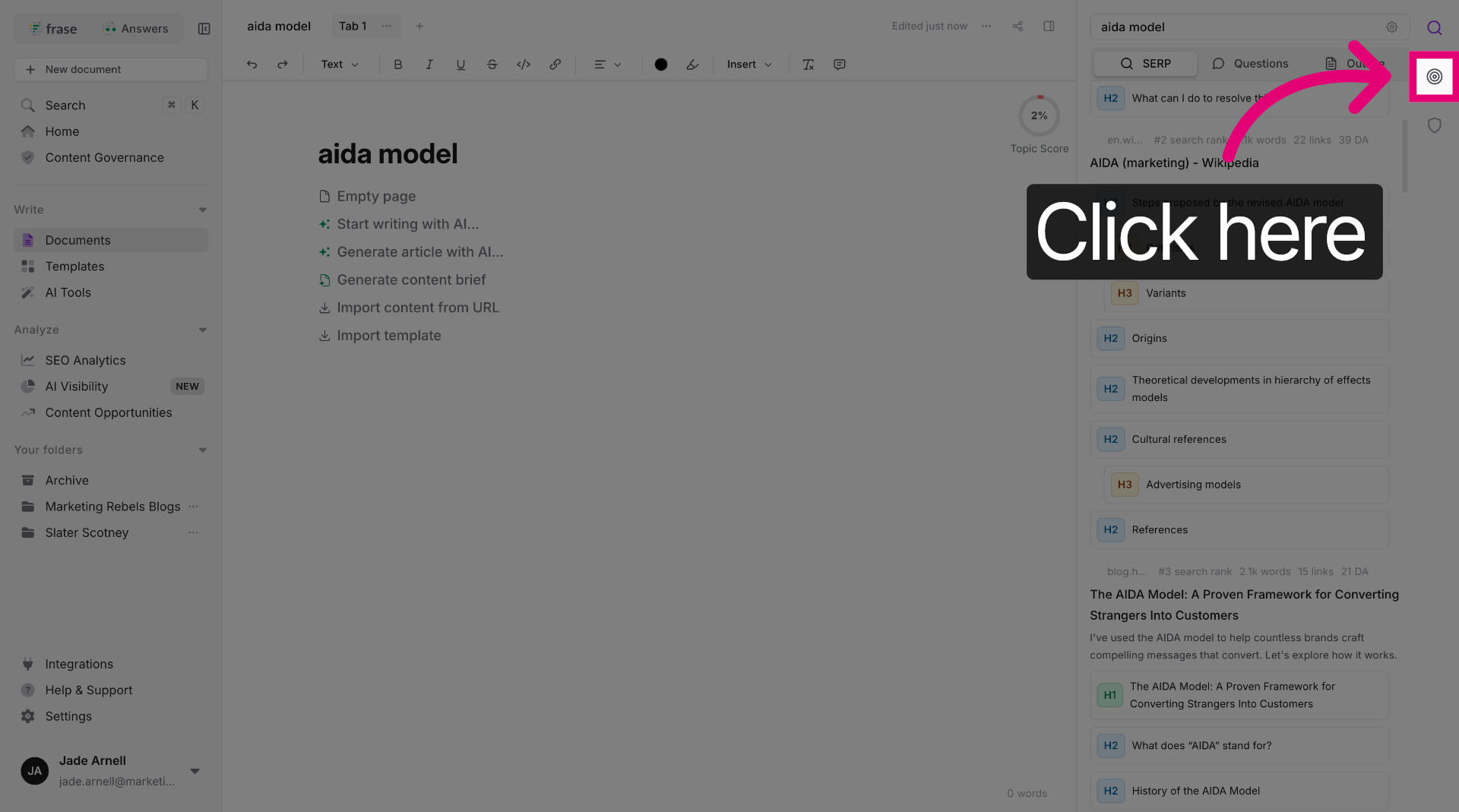
Click the "optimise" icon to open the SEO optimisation settings for your content, this is where we'll find the suggested LSI keywords.
Select SEO Optimisation Type
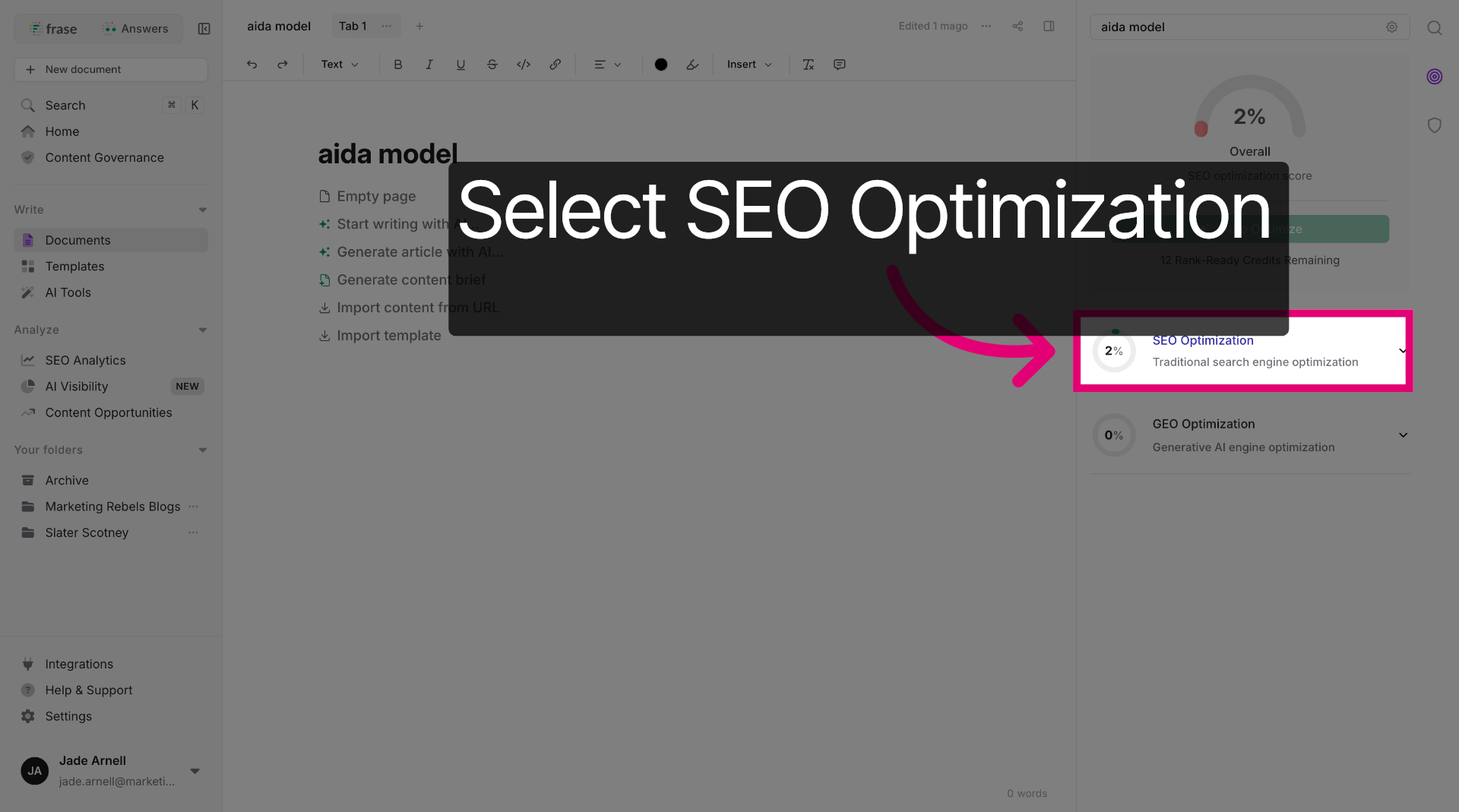
Click "SEO Optimization" to choose the SEO optimisation method. This will give you a list of LSI keywords.
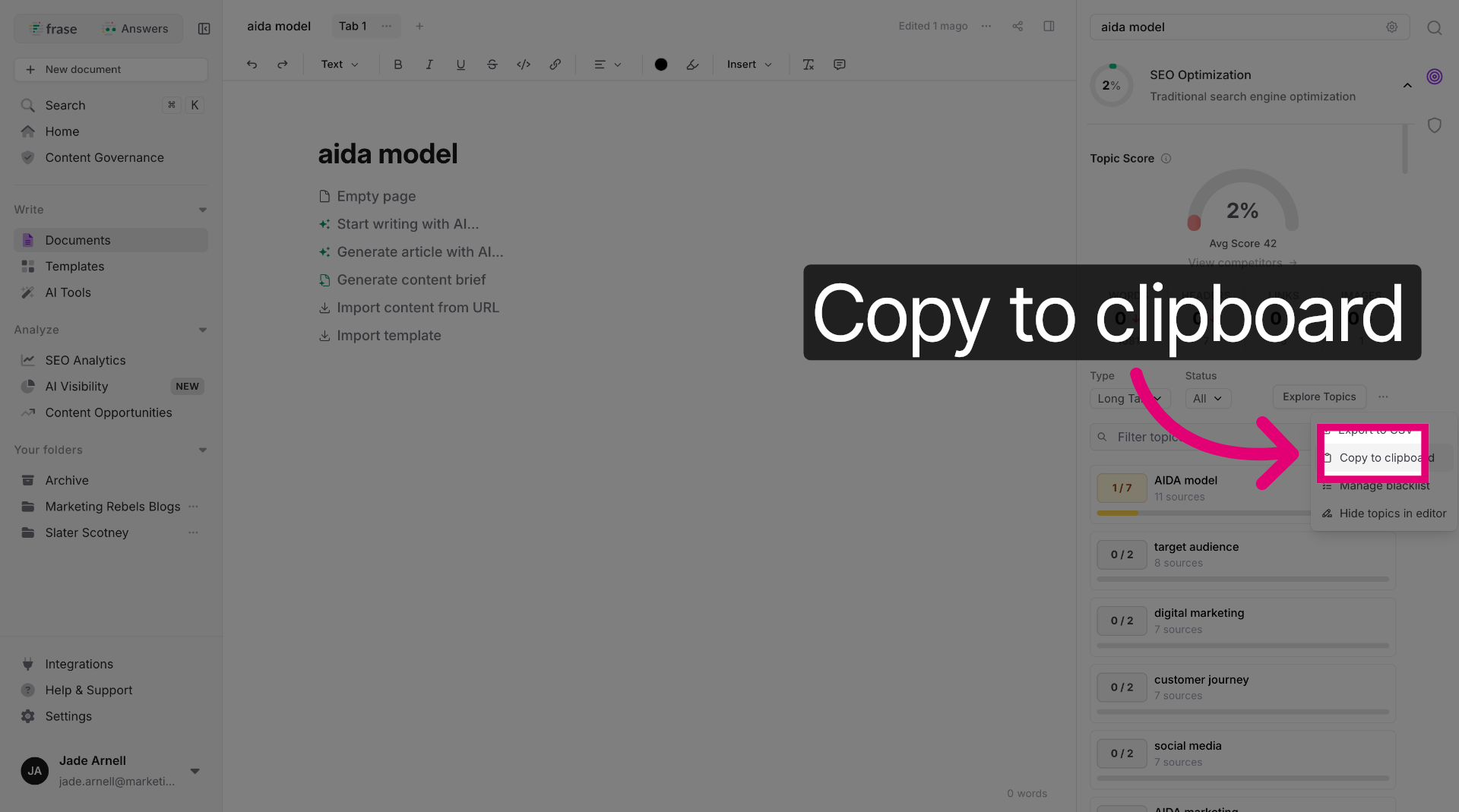
Click "Copy to clipboard" to copy the generated LSI keywords for use elsewhere.
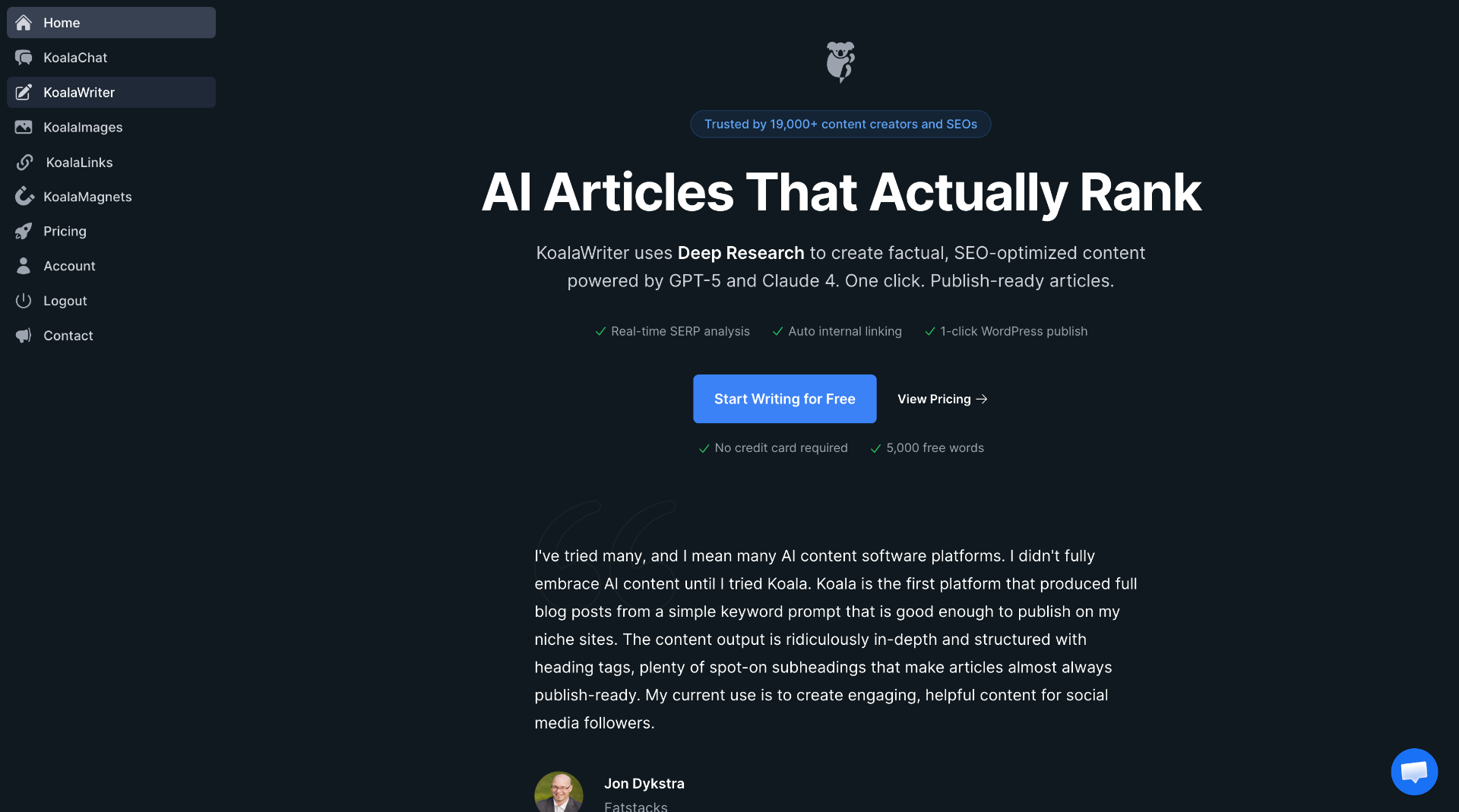
Now switch to the "koala.sh" application. This is where the magic happens!
Switching Between Frase and Koala AI Tools
Different AI tools excel at different tasks, so knowing when to switch platforms saves time and improves quality. Frase works brilliantly for research-heavy content and competitive analysis, whilst Koala AI (specifically KoalaWriter) handles bulk content generation more efficiently.
To switch from Frase to Koala AI, export your research and keyword lists from Frase first. Open KoalaWriter in a new tab and use these exported keywords as your starting point.
KoalaWriter lets you select different AI models, including the Claude 4.5 Sonnet model, which offers improved context understanding and more natural writing. This model works particularly well for technical content that needs accuracy alongside readability.
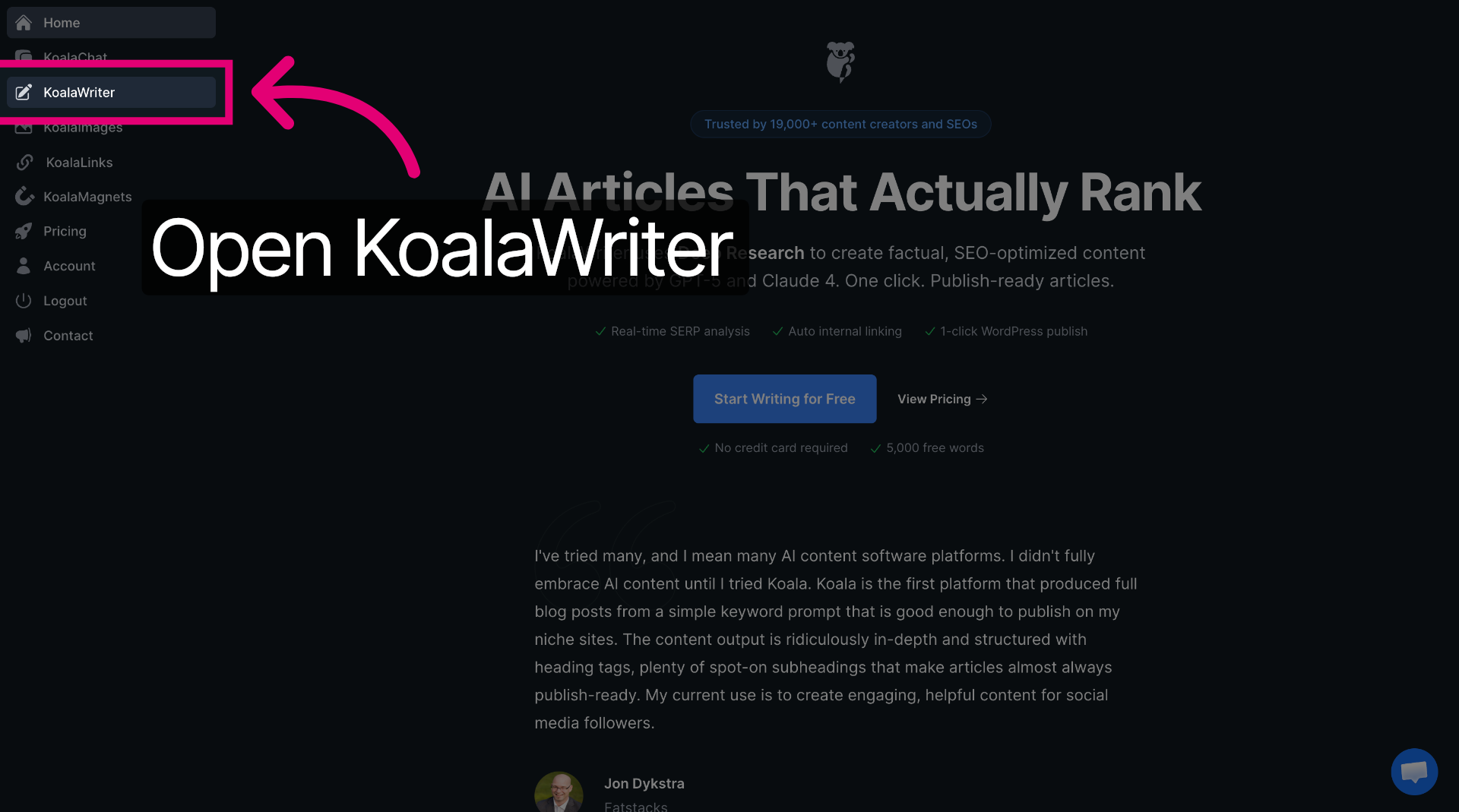
Click "KoalaWriter" to access the AI writing tool within Koala.
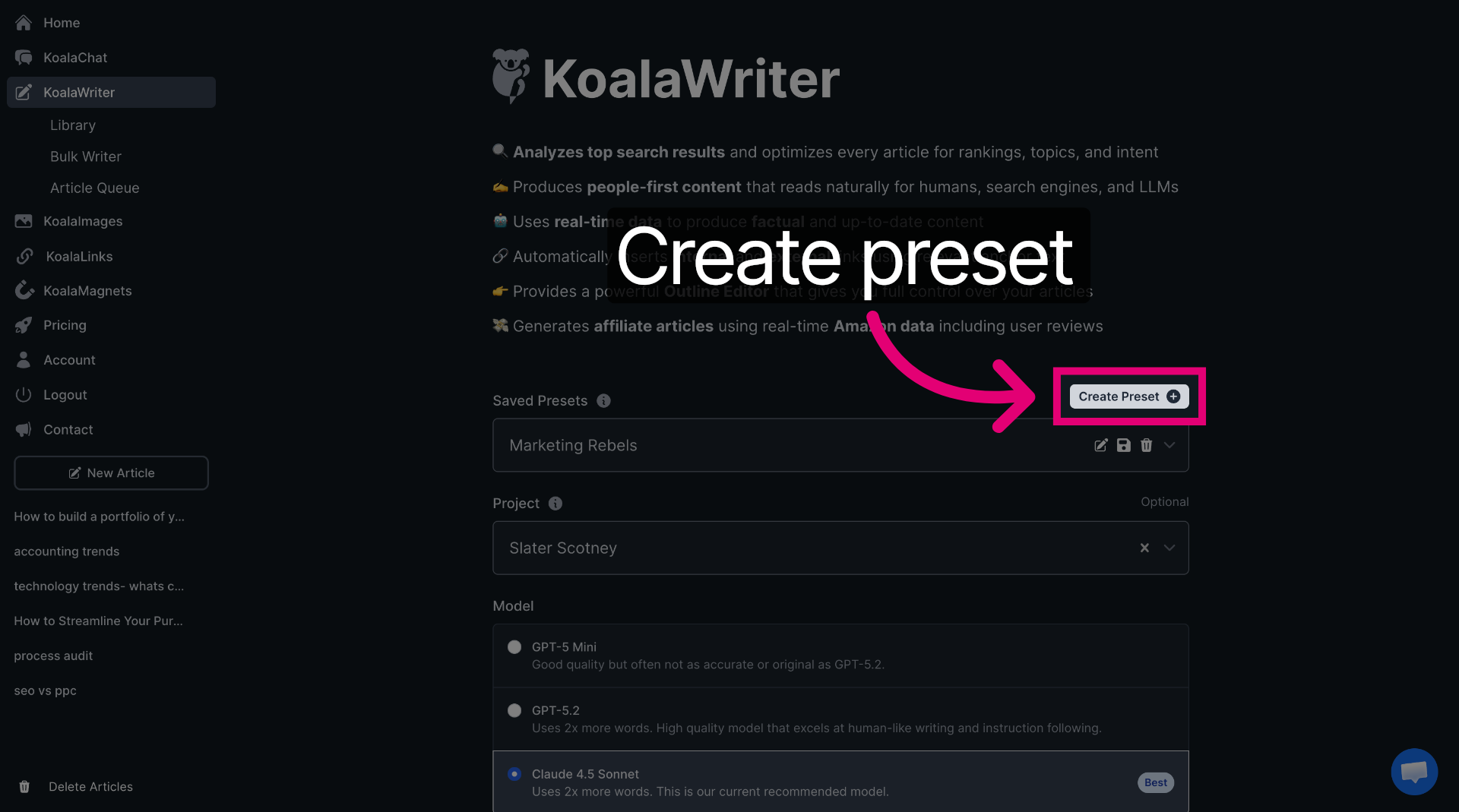
Create a new preset in KoalaWriter with your preferred settings to avoid reconfiguring everything for each article. Save presets for different content types like blog posts, product descriptions, or landing pages.
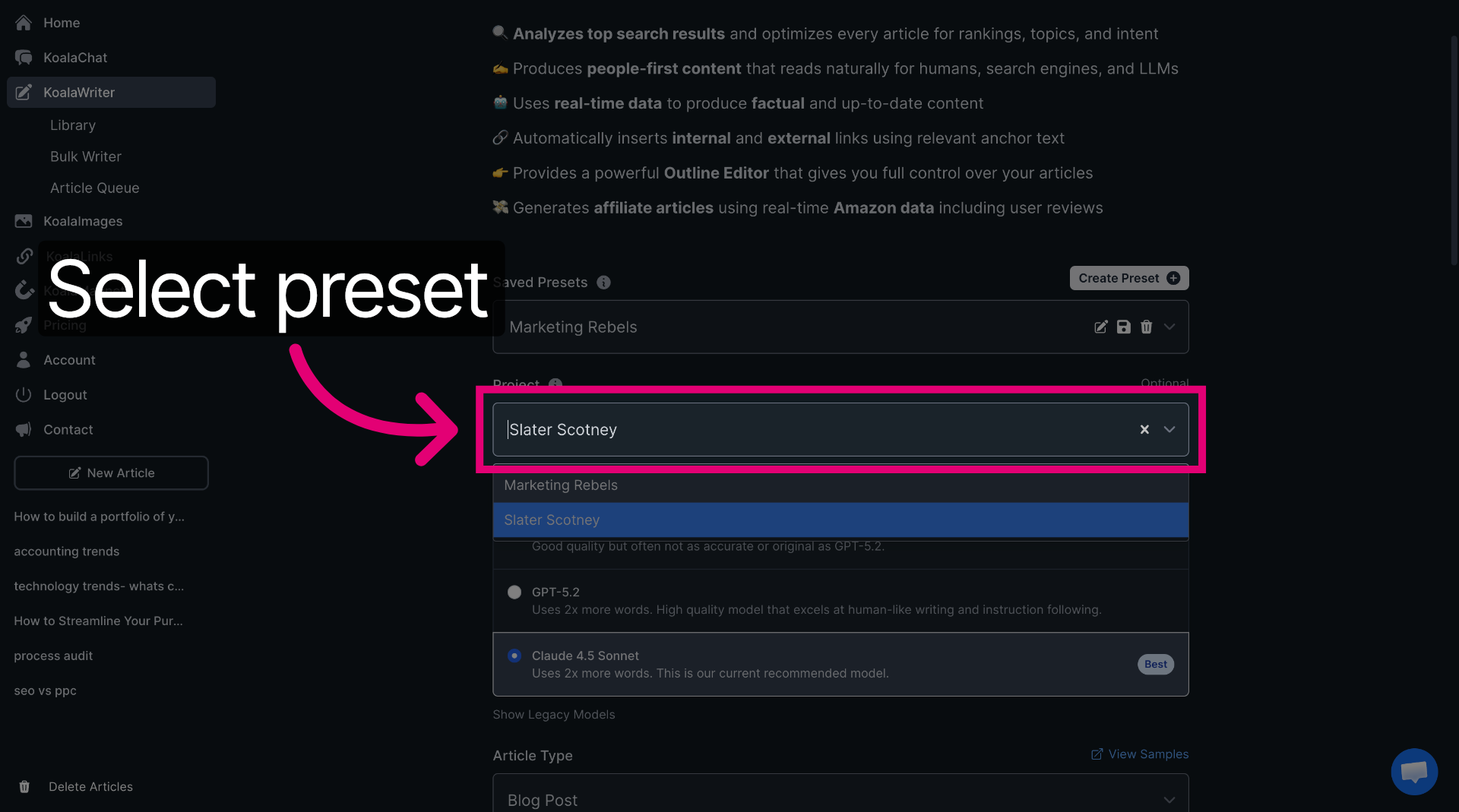
Add a project name here to group all of your content together. Projects help you group related content and maintain consistency across multiple articles on similar topics.
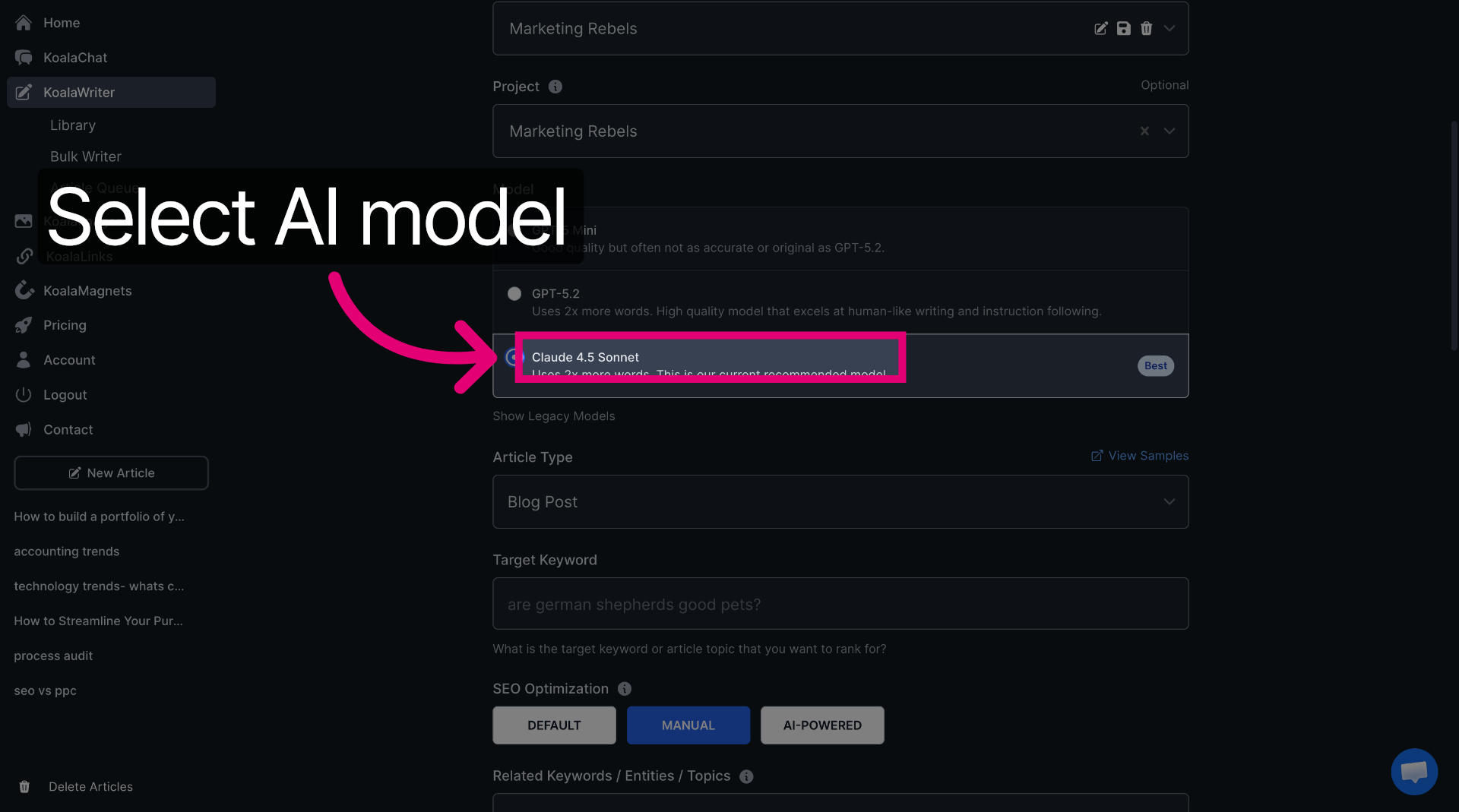
Click "Claude 4.5 Sonnet" to select this AI model for writing assistance - this is currently the best for creating content, but always check as the LLMs are always changing and updating
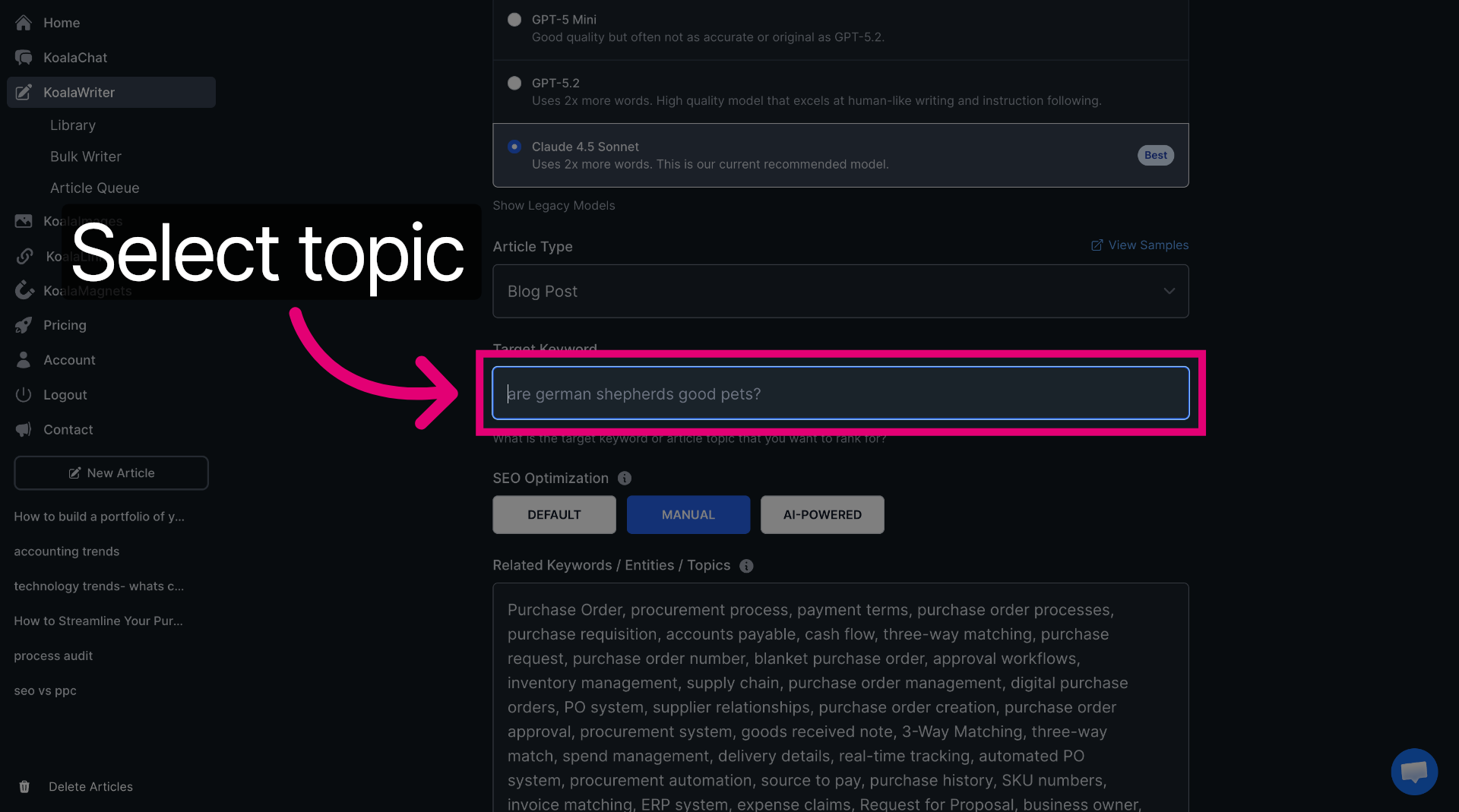
Click into the target keyword box. This is where we are going to add your main keyword. Type it in the box.
Manual Mode and Domain Setup in KoalaWriter
Manual mode gives you complete control over how KoalaWriter generates your content. Instead of letting the AI decide structure and keywords automatically, you specify exactly what you want.
Choose manual mode from the content creation options. This is where you;re going to paste in your LSI keywords from Frase. This bit is really important to give the tool what it needs to produce a piece of content that is guaranteed to rank well.
Manual mode settings you can configure:
- Target word count
- Heading structure preferences
- Tone of voice adjustments
- Content outline or talking points
Manual mode takes more time upfront but produces content that needs fewer edits and better matches your specific requirements.
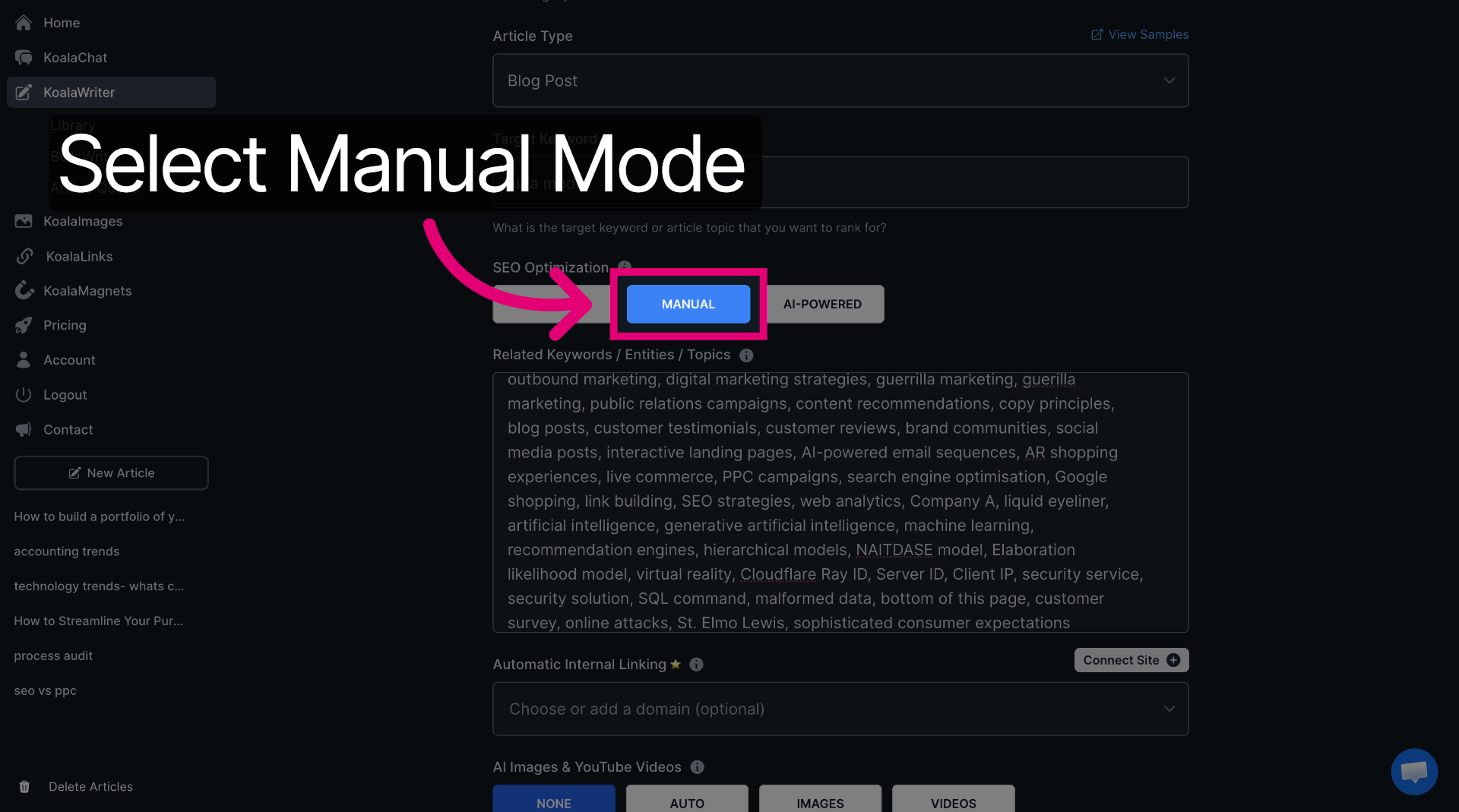
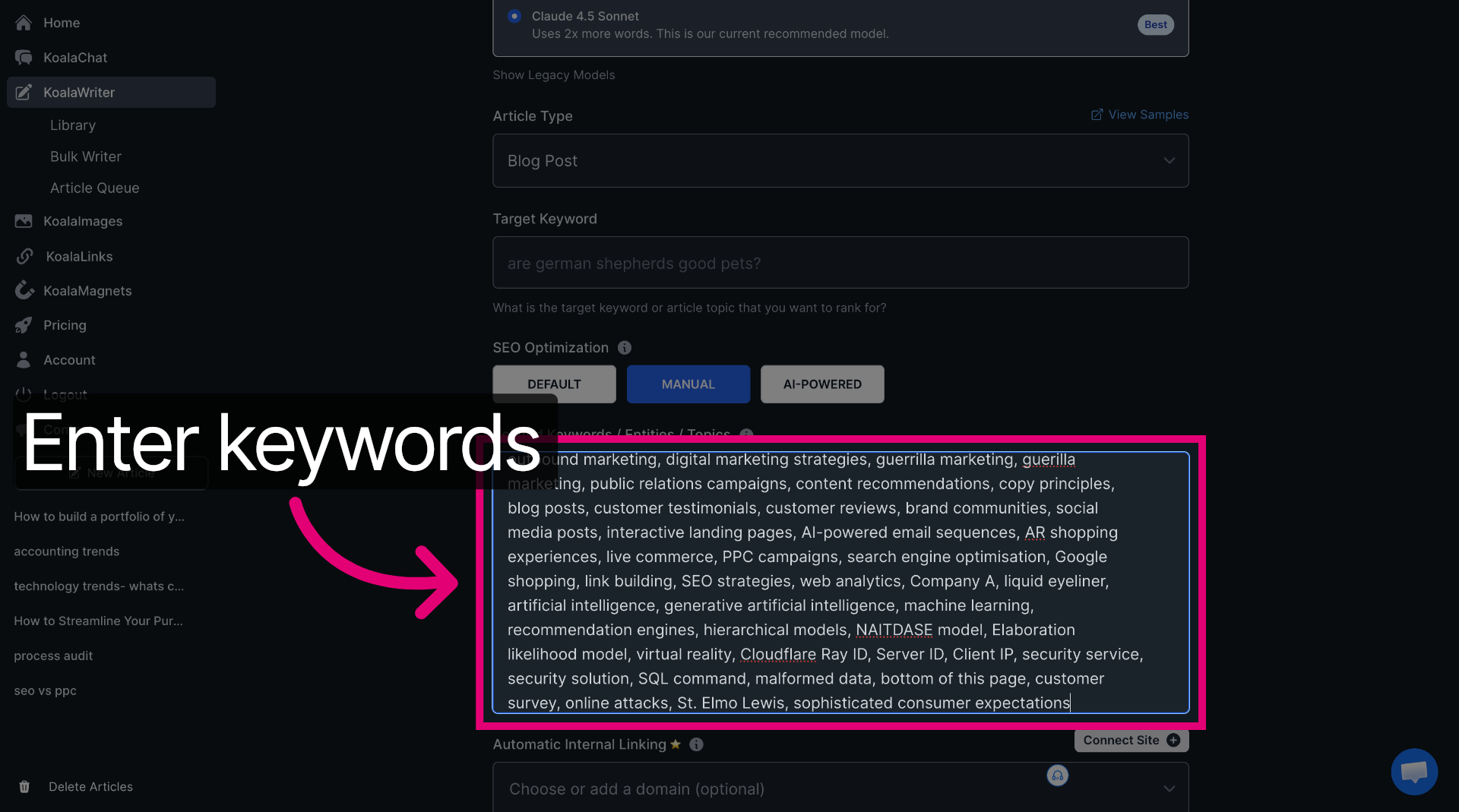
Now, paste your copied LSI keywords from Frase directly in here. Make sure you prune these as some may not be relevant to your content and might include brand terms or competitor names for example.
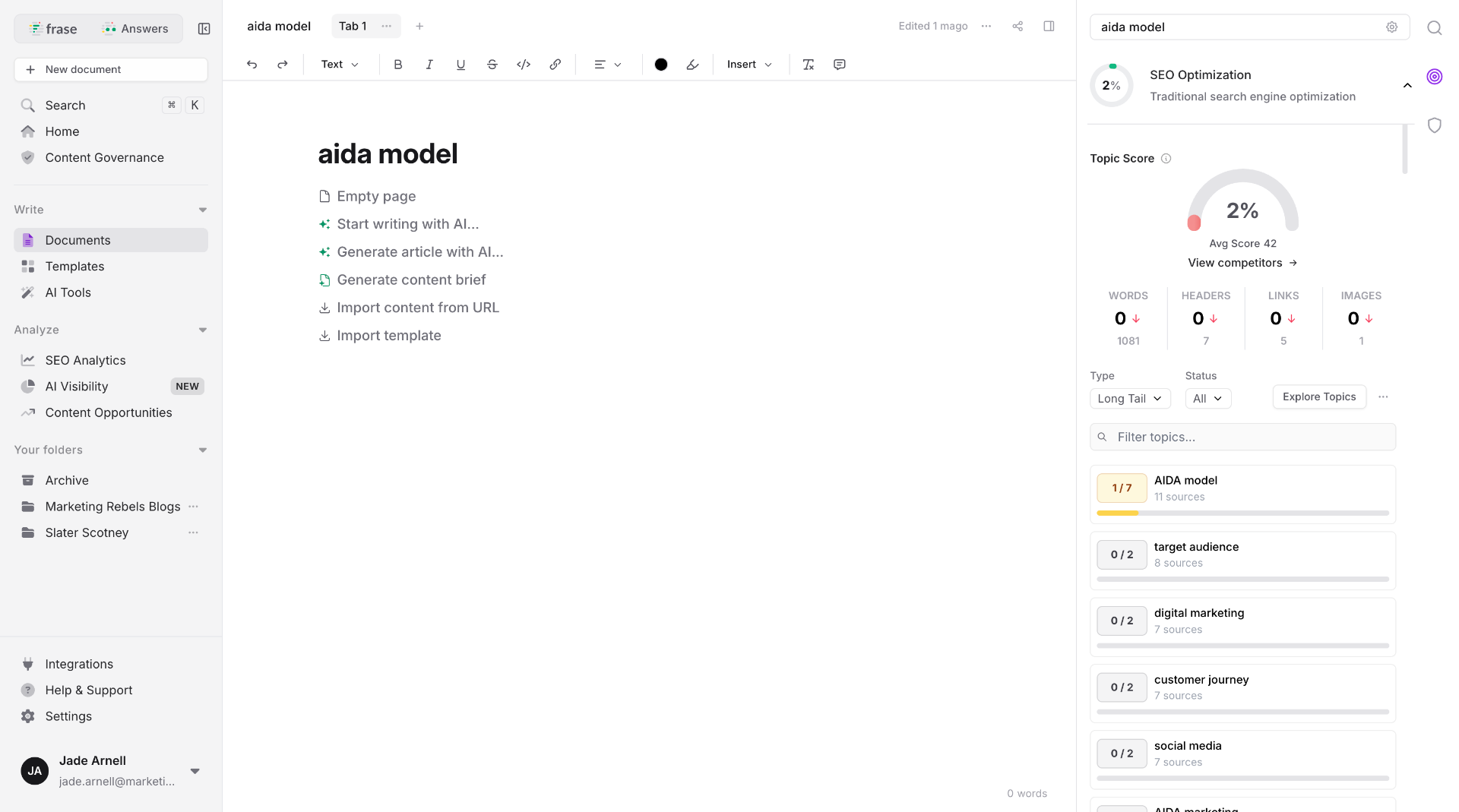
Switch back to "frase.io" to review competitor data.
Analysing Competitors and Fine-Tuning for Performance
Successful content needs both substance and strategy, which means studying what's already working in your niche and adjusting your approach accordingly. You'll need to examine competitor metrics, benchmark key performance indicators, and customise your content creation settings to match or exceed what's currently ranking.
Reviewing Competitor Content with Frase
Return to Frase after your initial research phase to dig into what your competitors are actually doing. The platform shows you which pages are ranking for your target keywords, giving you a proper look at the competition rather than just guessing.
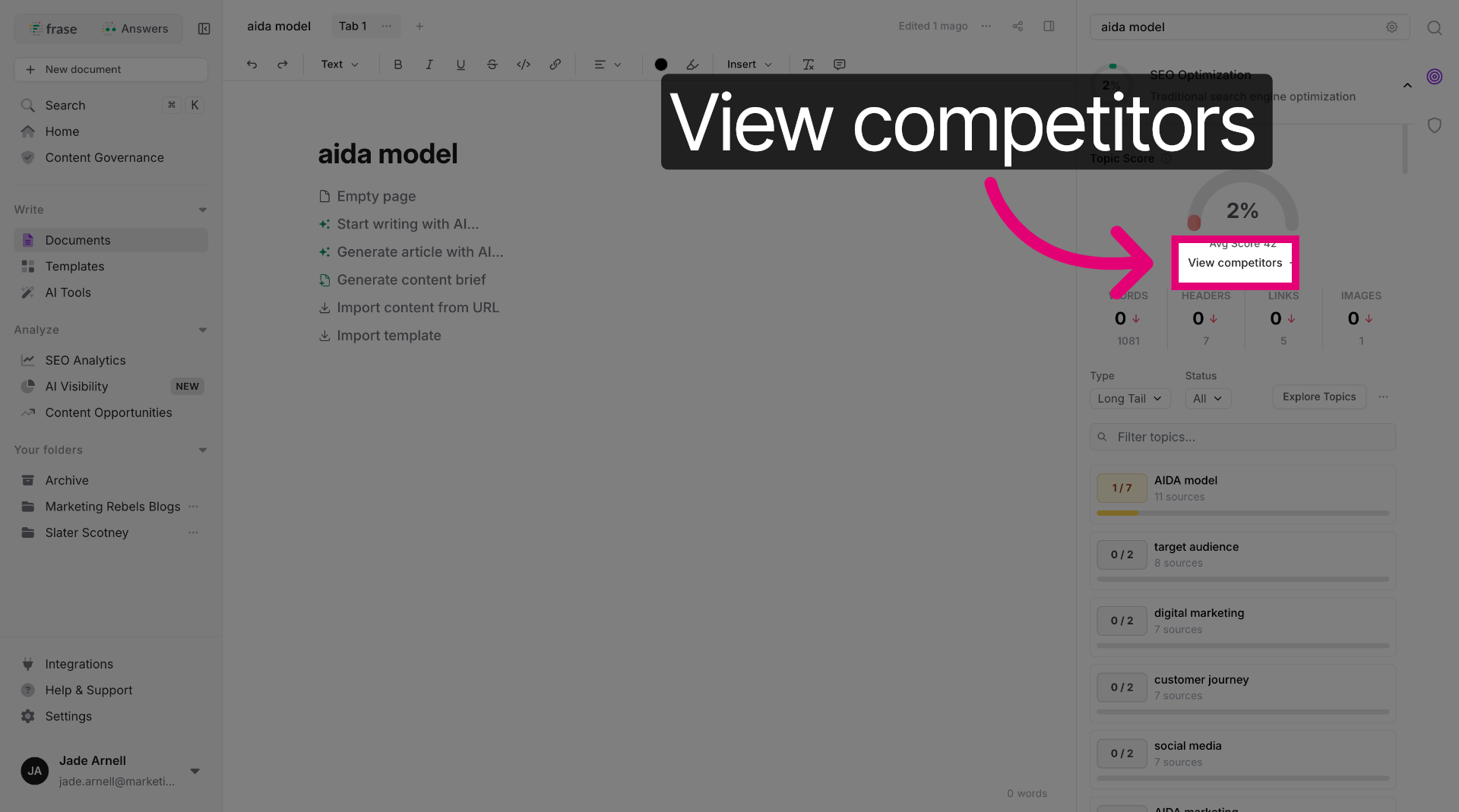
Click "View Competitors" to see the top-ranking content for your chosen topic. You'll get a list of URLs that Google considers most relevant, which is exactly what you need to understand the current landscape. Don't just skim these pages, actually read them (revolutionary, I know).
Access Competitor Details to see specific metrics for each ranking page. Frase breaks down their word count, number of headers, and how many links they've included. This data tells you what search engines are rewarding right now, not what some outdated guide from 2019 suggests.
Pay attention to content structure and topic coverage. If all your competitors are answering specific questions or covering particular angles, you'll need to do the same whilst adding your own value.
Click "View competitors" to analyse competing content for your keywords.
Benchmarking Word Count, Links, and Rank Score
Look at the average word count across top-ranking pages. If they're all hovering around 2,000 words, a 500-word article probably won't cut it. Match or exceed this benchmark, but only if you've got something worthwhile to say.
Check how many internal and external links competitors are using. Most high-ranking content includes 5-15 external links to authoritative sources and several internal links to related pages. Links aren't just decoration, they signal to search engines that your content is well-researched and connected to the broader web.
The Rank Score in Frase shows how well competitor content matches search intent for your keyword. Pages with higher scores are covering more relevant subtopics and using more semantically related terms. Your goal is to match their coverage whilst bringing better organisation or clearer explanations.
Create a simple comparison table to track these metrics across your top five competitors. This gives you concrete targets rather than vague aspirations about "quality content."
Click here to open detailed competitor information. This is where you find word count, links and rank score etc. This is what we are looking to beat with our content. Make a note of each one.
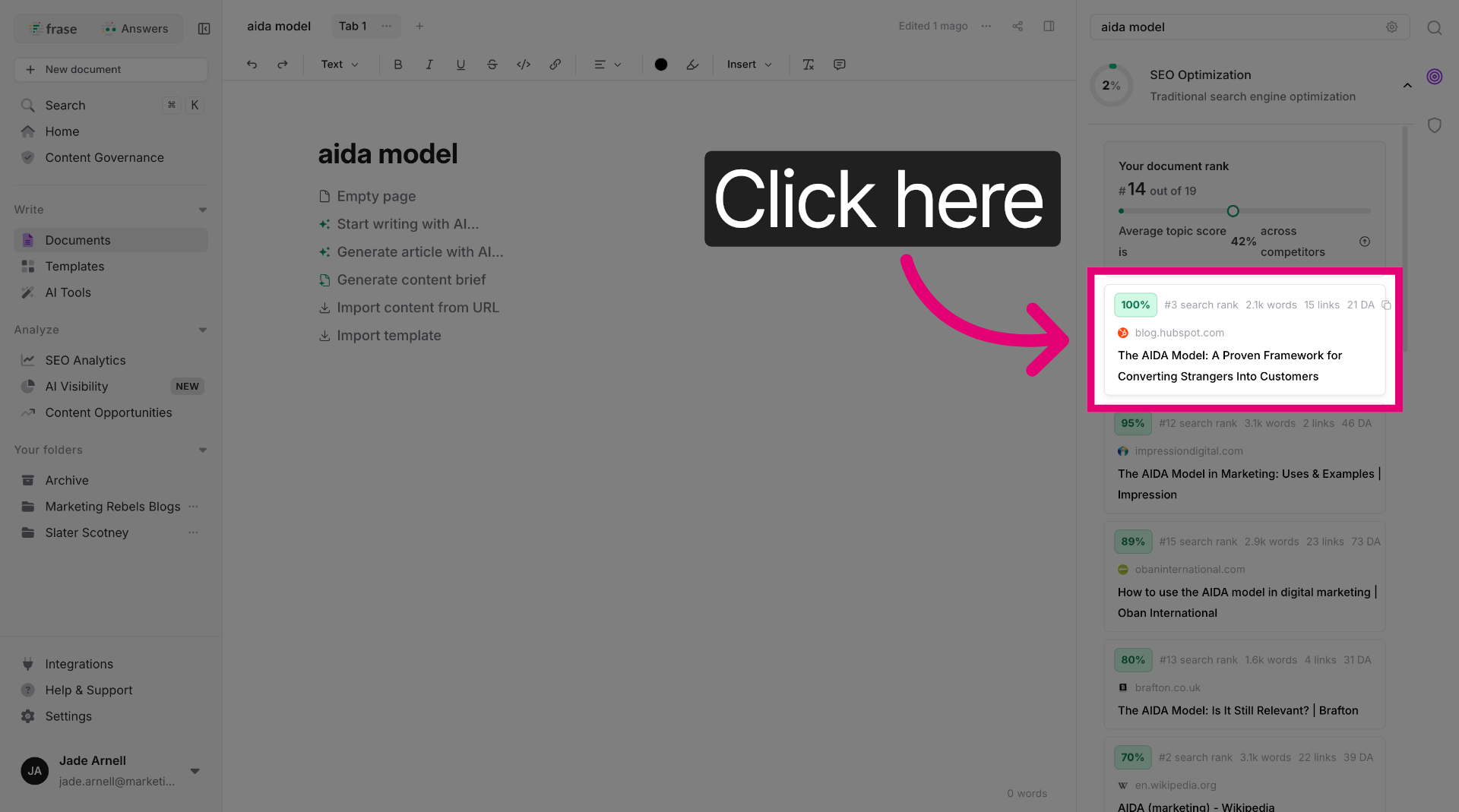
Switch back to "koala.sh" to continue content customisation.
Customising Output in KoalaWriter
Switch to KoalaWriter once you've gathered your competitive intelligence. The platform lets you adjust settings based on what you've learnt from your Frase analysis, turning research into action.
Select your target keywords and any semantic variations you discovered during competitor review. KoalaWriter uses this information to guide its content generation, ensuring you're covering the same topic space as successful competitors.
Adjust the tone and style settings to match your brand voice. Just because competitors are using a formal approach doesn't mean you must follow suit, differentiation matters too. You can maintain competitive keyword coverage whilst sounding like an actual human being.
Enable the option to include citations and sources if your competitors are heavily referenced. This is particularly important for topics where authority and trust matter, like health, finance, or technical subjects. AI-generated content needs proper sourcing just like any other content.
Click "Choose or add a domain" to specify domain preferences. This will allow the system to automatically create internal links to other relevant areas of your site. This is key for a well optimised blog
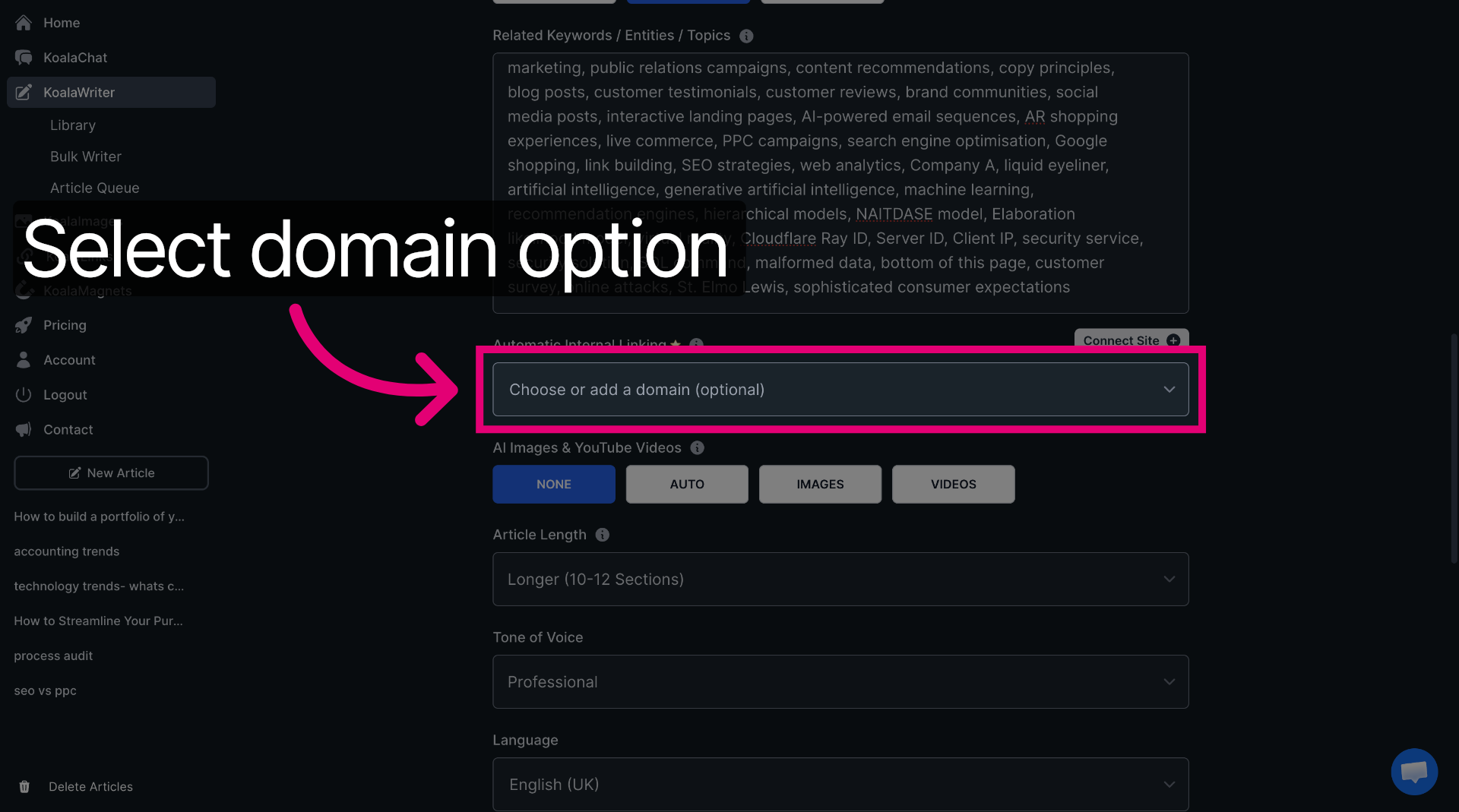
Choosing Optimal Document Length
Select Document Length based on your competitor benchmarking, not arbitrary preferences. If ranking pages average 1,800 words, aim for 2,000-2,500 to provide more comprehensive coverage without padding.
Longer isn't always better, despite what content mills might tell you. A 3,000-word article that repeats itself is worse than a focused 1,500-word piece that actually answers the question. Quality per word matters more than total word count.
Consider your specific topic's complexity. A straightforward how-to guide might need 1,200 words, whilst an in-depth comparison or technical explanation could require 3,000+ words to properly cover everything.
Factor in both SEO and GEO when choosing length. AI engines synthesise information from multiple sources, so comprehensive coverage helps you appear in more AI-generated responses. Your content needs depth across related subtopics, not just laser focus on one narrow angle.
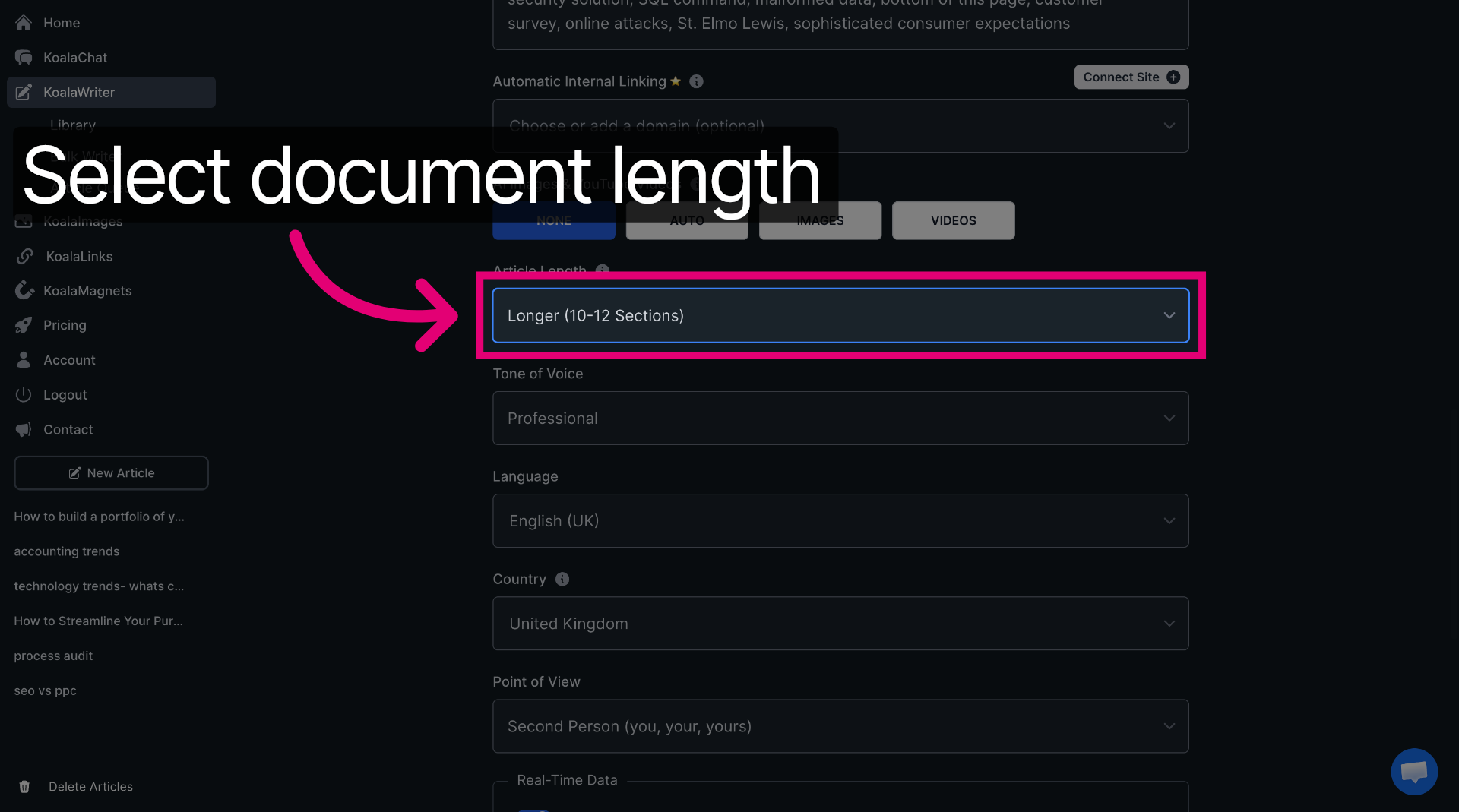
Click "Tone of voice" to choose the tone for your content. Here you can add a customised tone of voice - add this from your brand guidelines if you have them. This will give you a blog that adheres best to the tone and style of your brand.
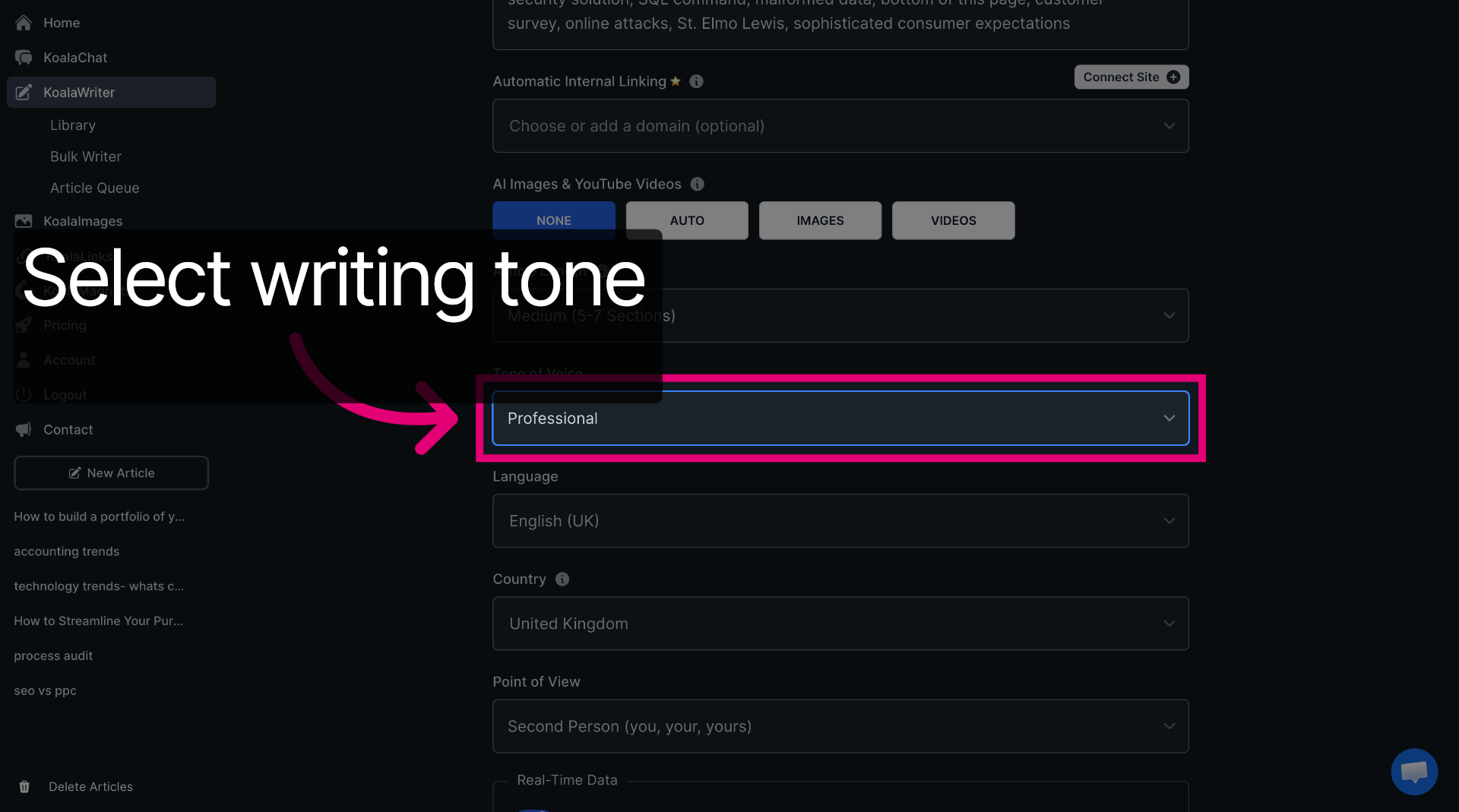
Click "Include External Links" to add references and citations to your article.
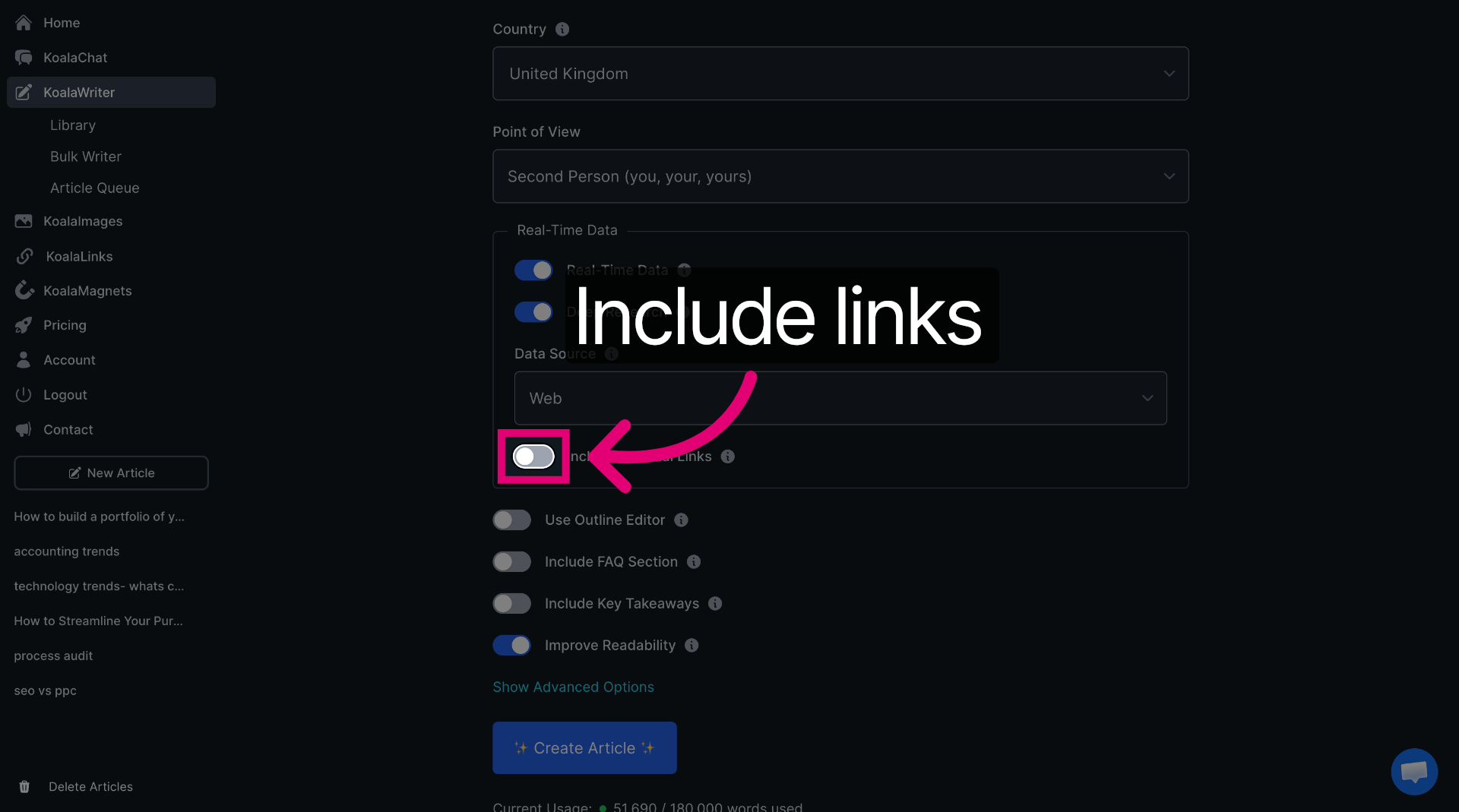
Click "Create Article" to generate the final article using your settings.
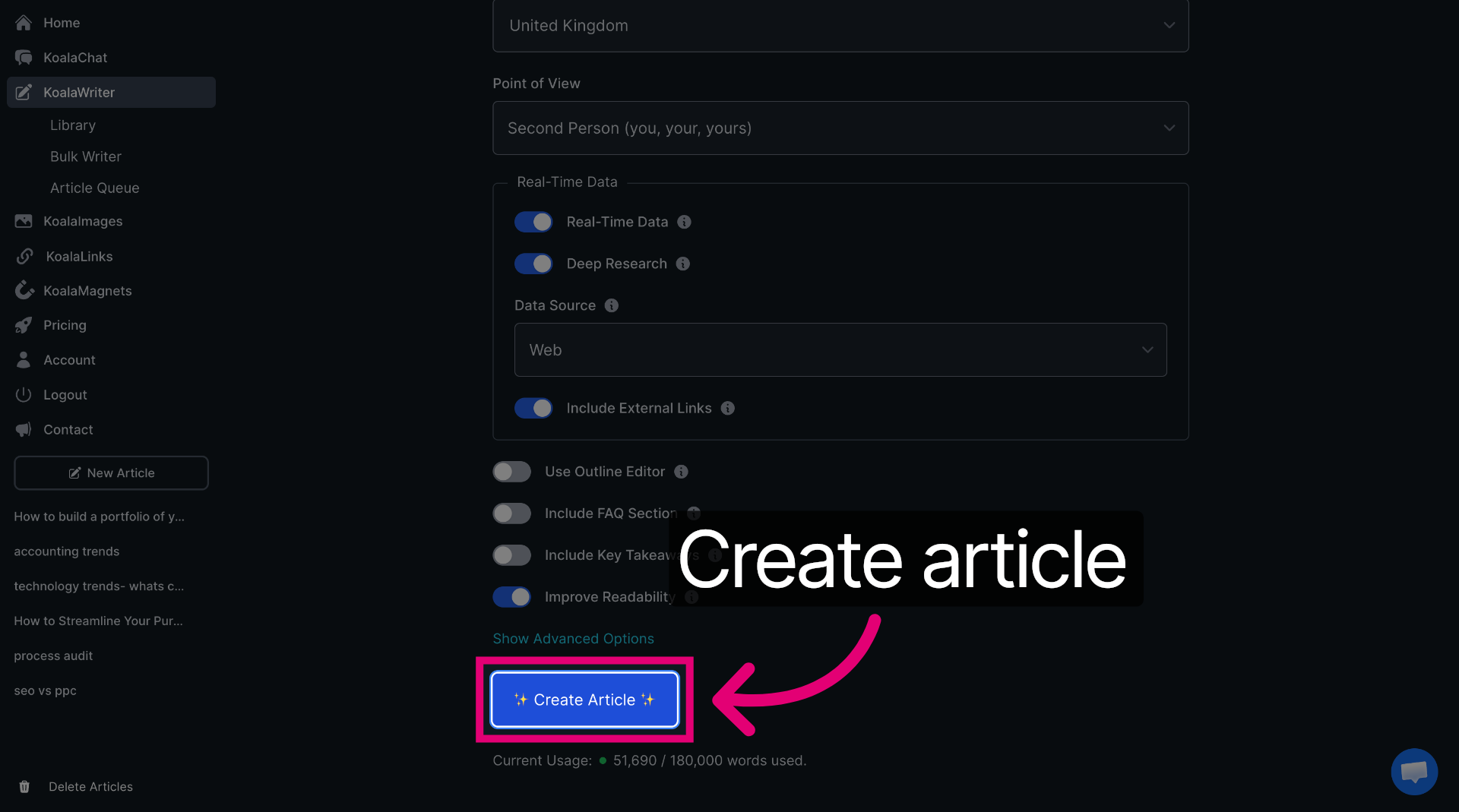
Once Koala has finished writing your article, click "Export" to save or share your completed article. We want to copy the content to paste straight back into Frase.
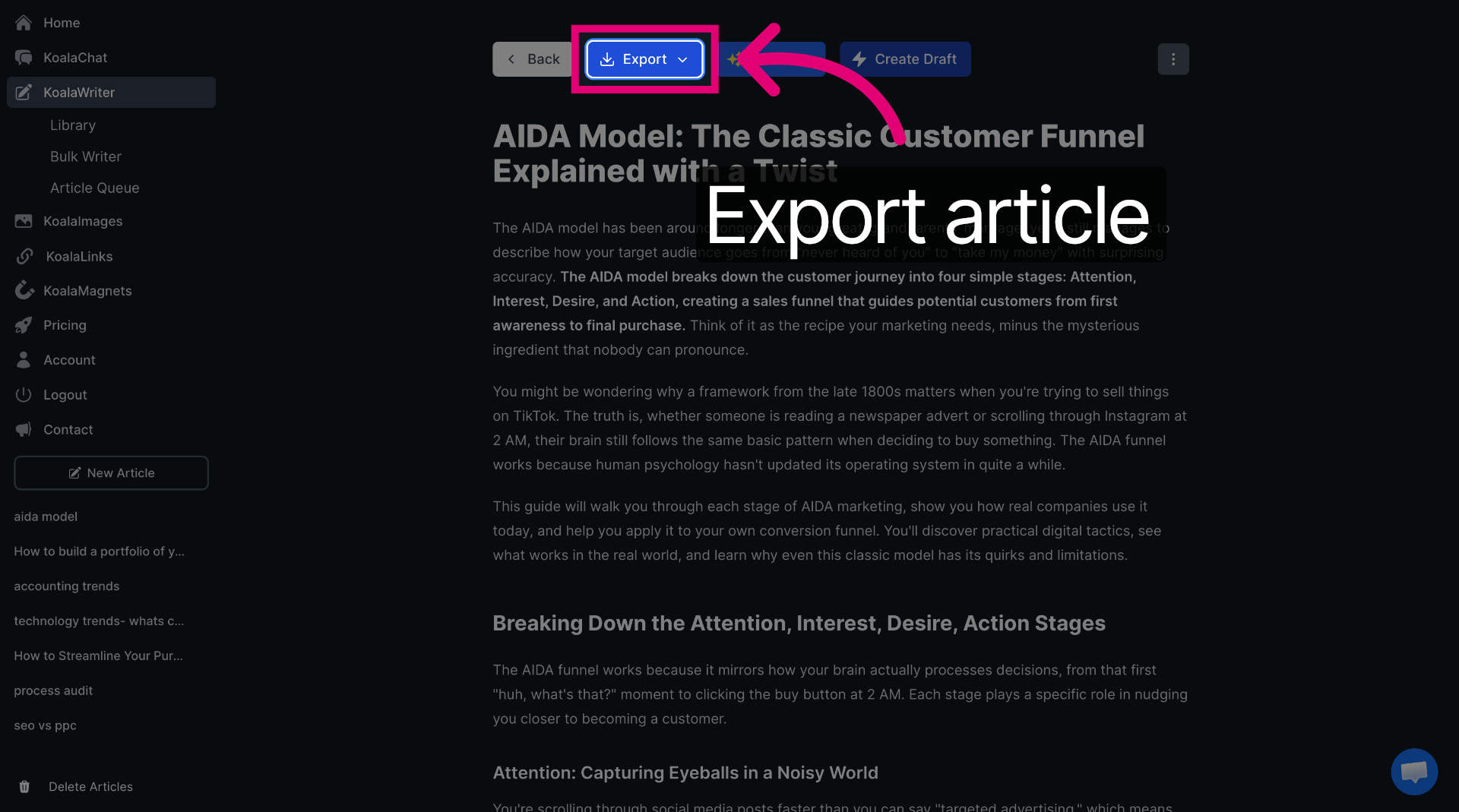
Switch back to "frase.io" to continue content management.
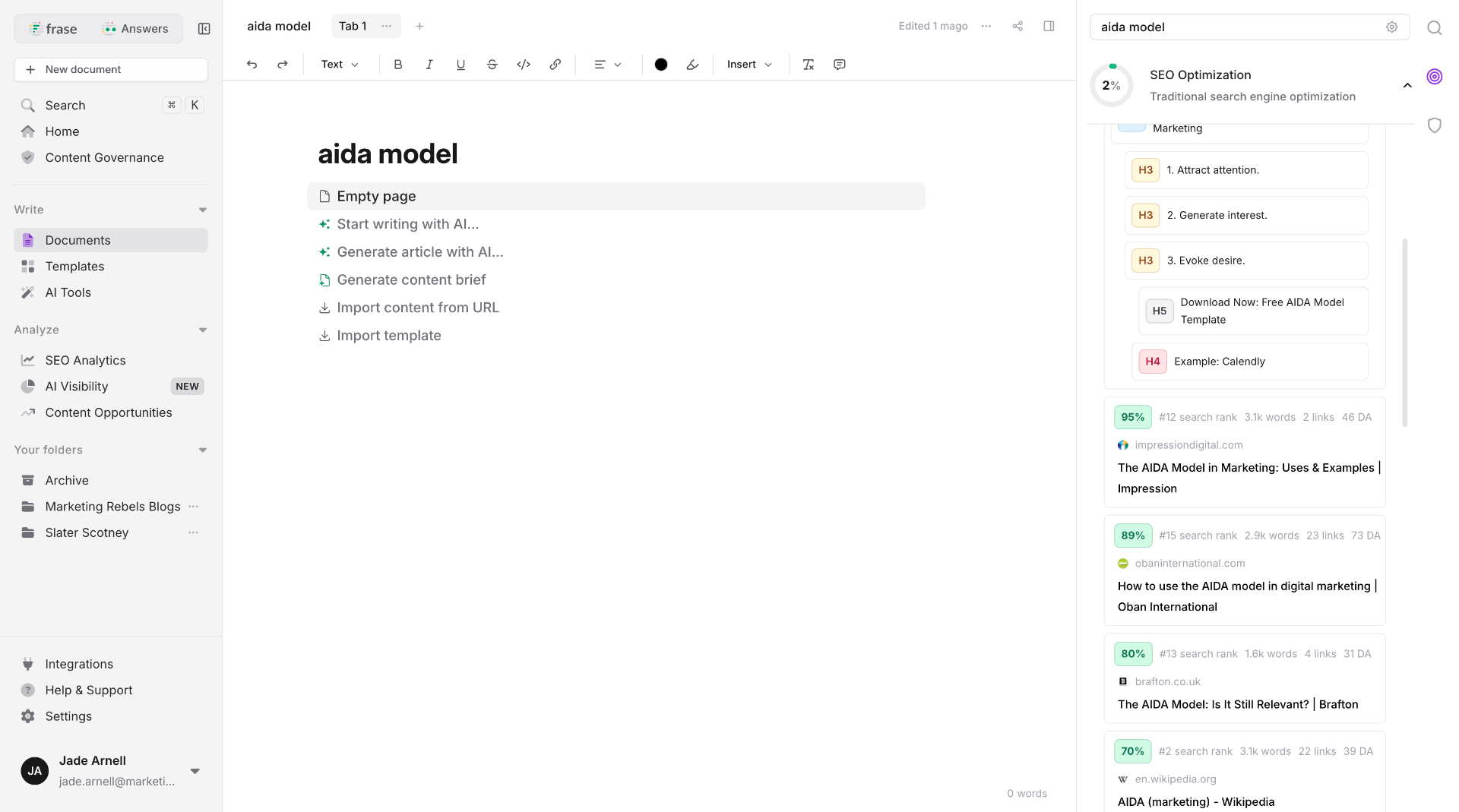
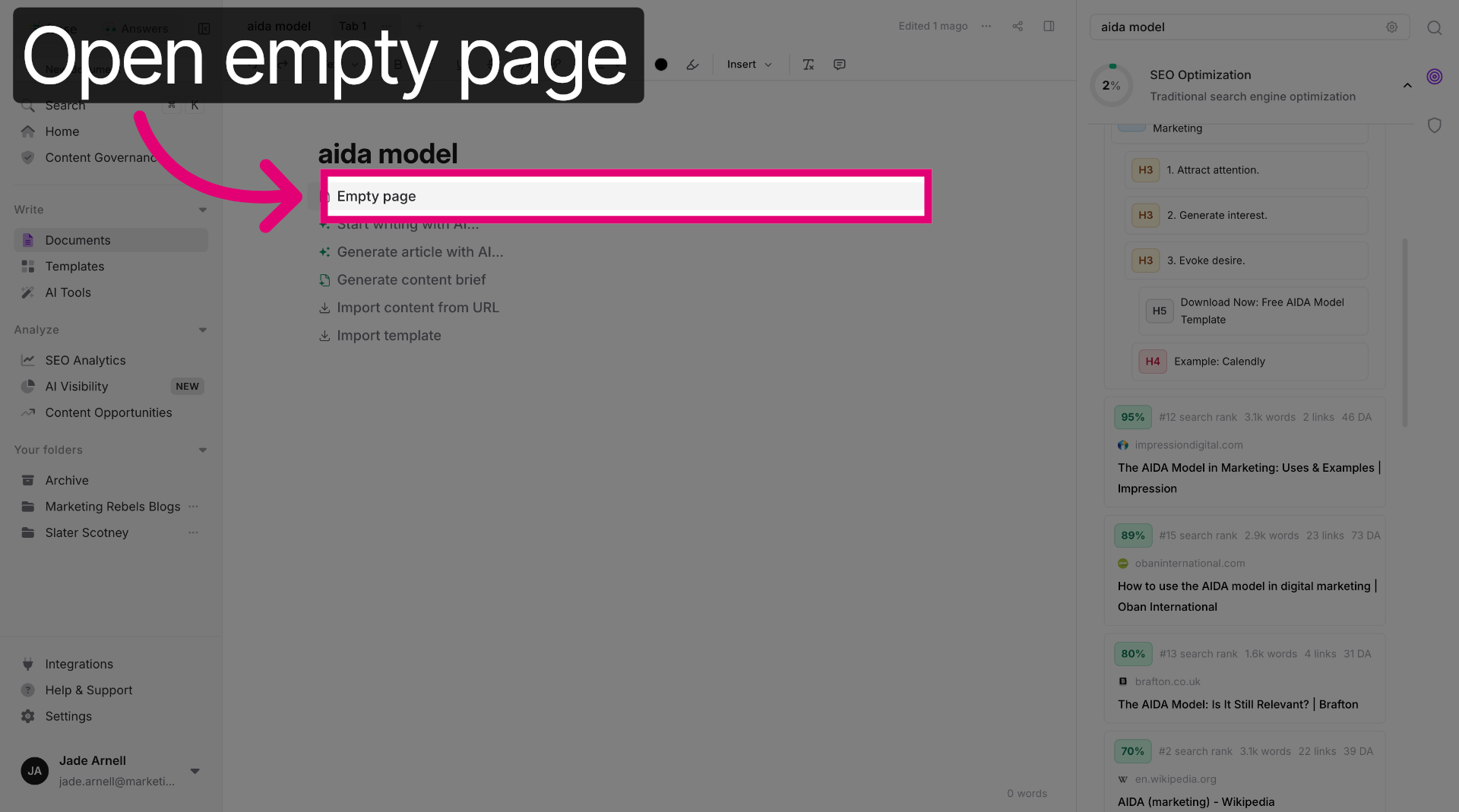
Click "Empty page" to paste the copied Koala content within Frase.
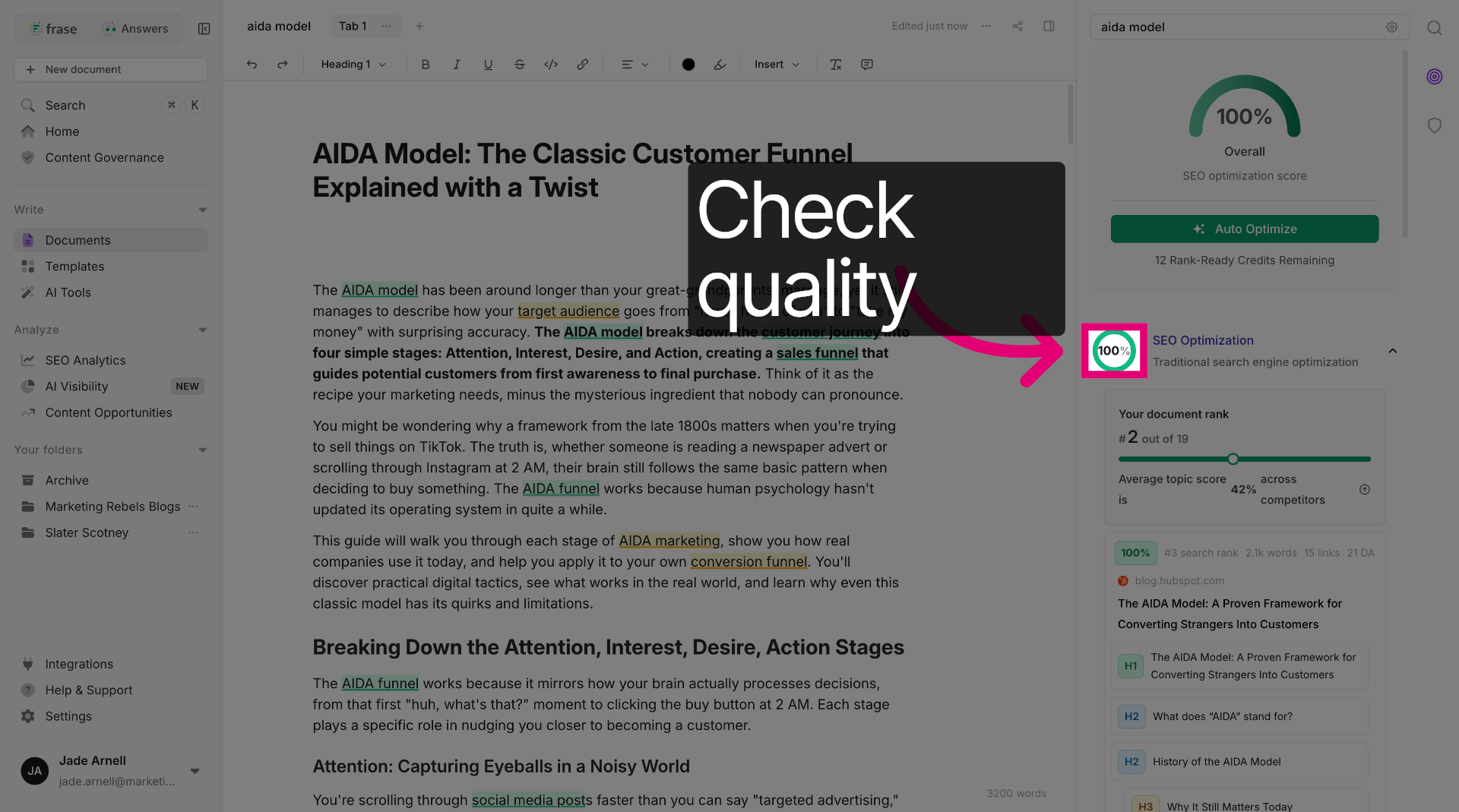
Now you can check your content quality. As you can see, this blog is at 100% so we can't improve it much! Don't worry if yours isn't, we can fix it
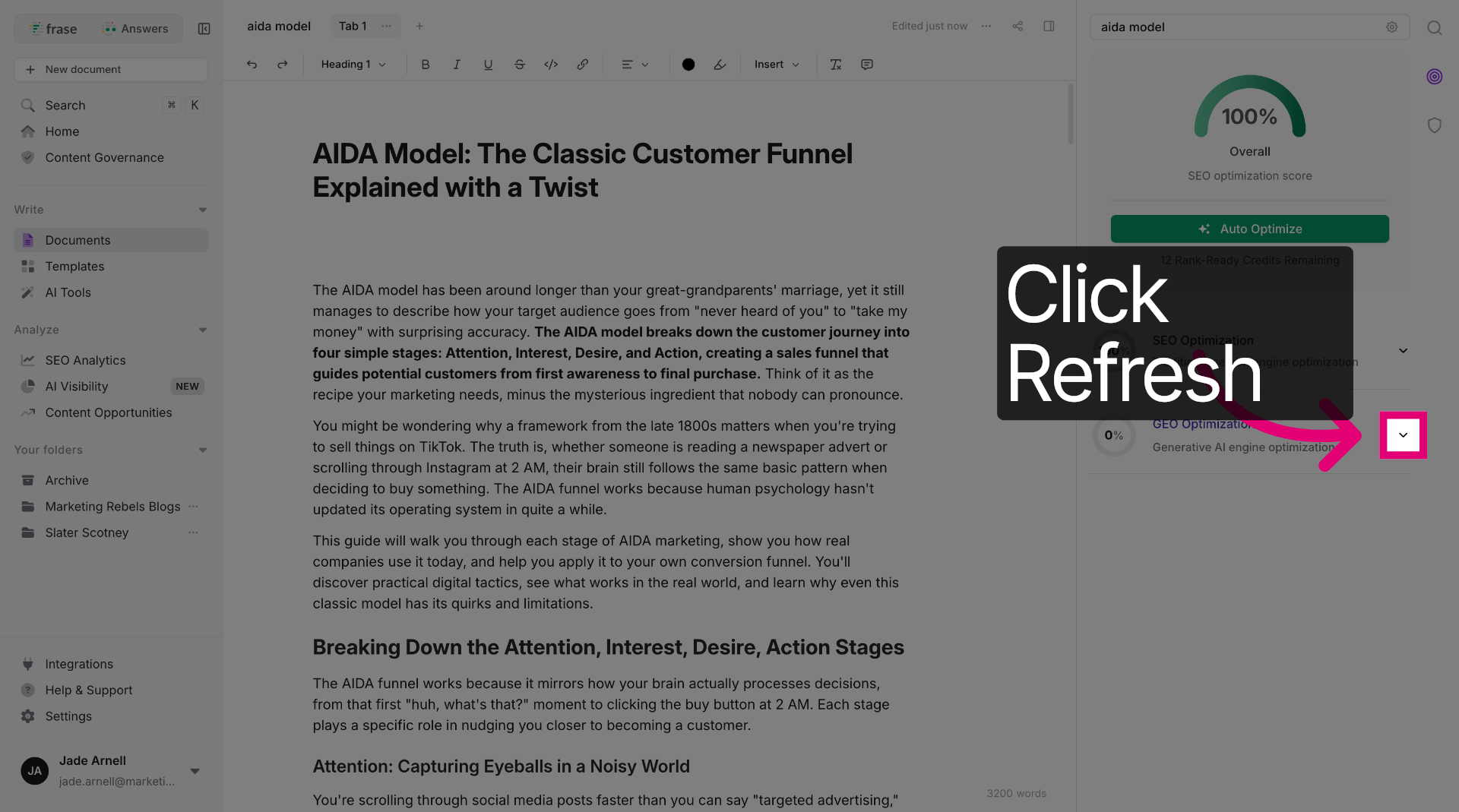
Click refresh on the GEO analysis to open more content options and settings. This will give you your score for ranking in LLMs.
Now let's go back to SEO optimisation and fix your blog so you can get as close to 100% as possible and get that blog ranking fast.
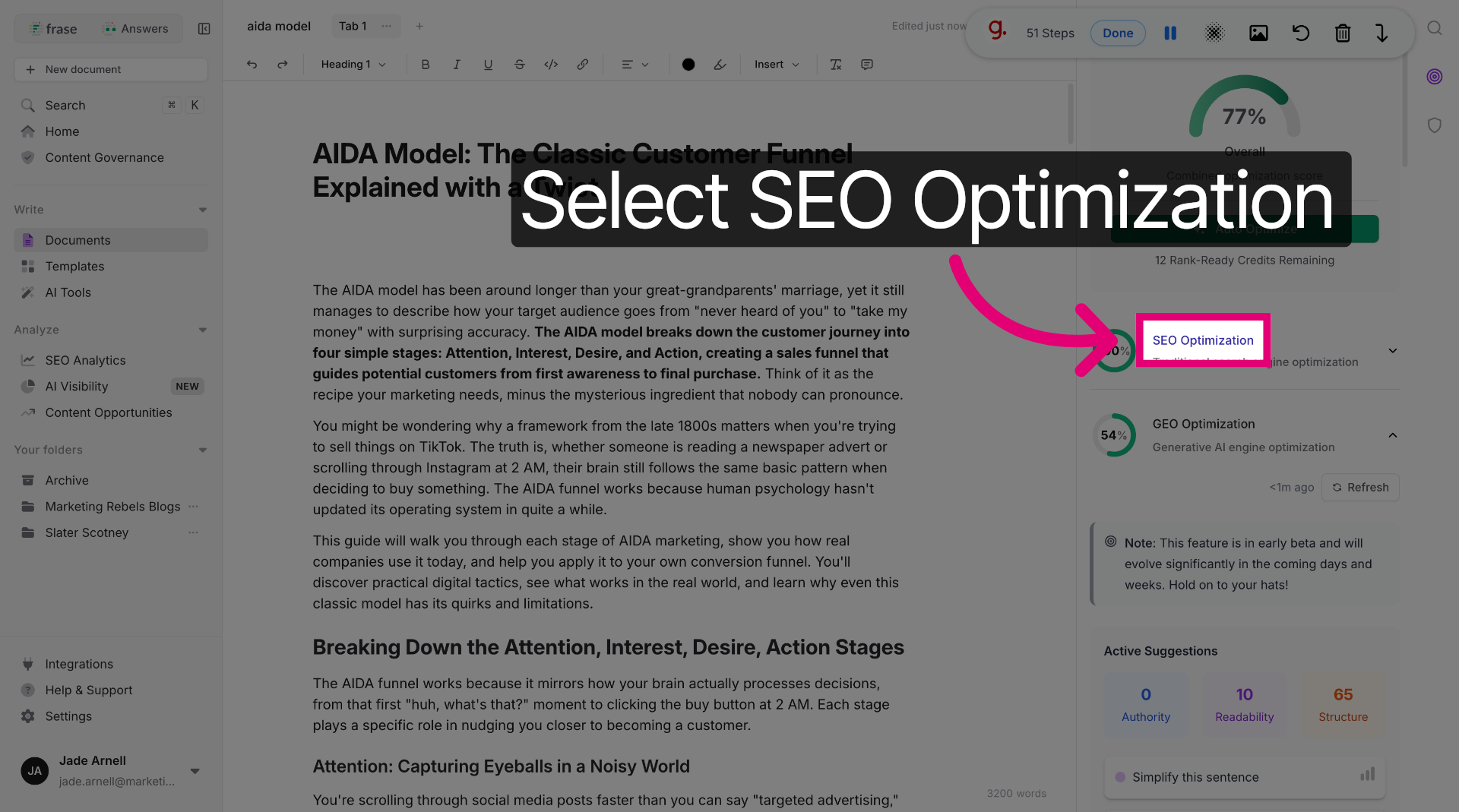
Ok, go back to your list of LSI keywords, notice some are green (these are fine, don't touch them). Some are yellow and some are grey? This is where there are gaps in your content. Run through this list and add in as many of the suggestions as possible.
This will slowly bring your ranking score up.
Once you're happy with your score and ranking prediction, go ahead and add the content to your site. Don't forget to add images and videos were relevant so your blog is really engaging to both your audience and the crawl bots.
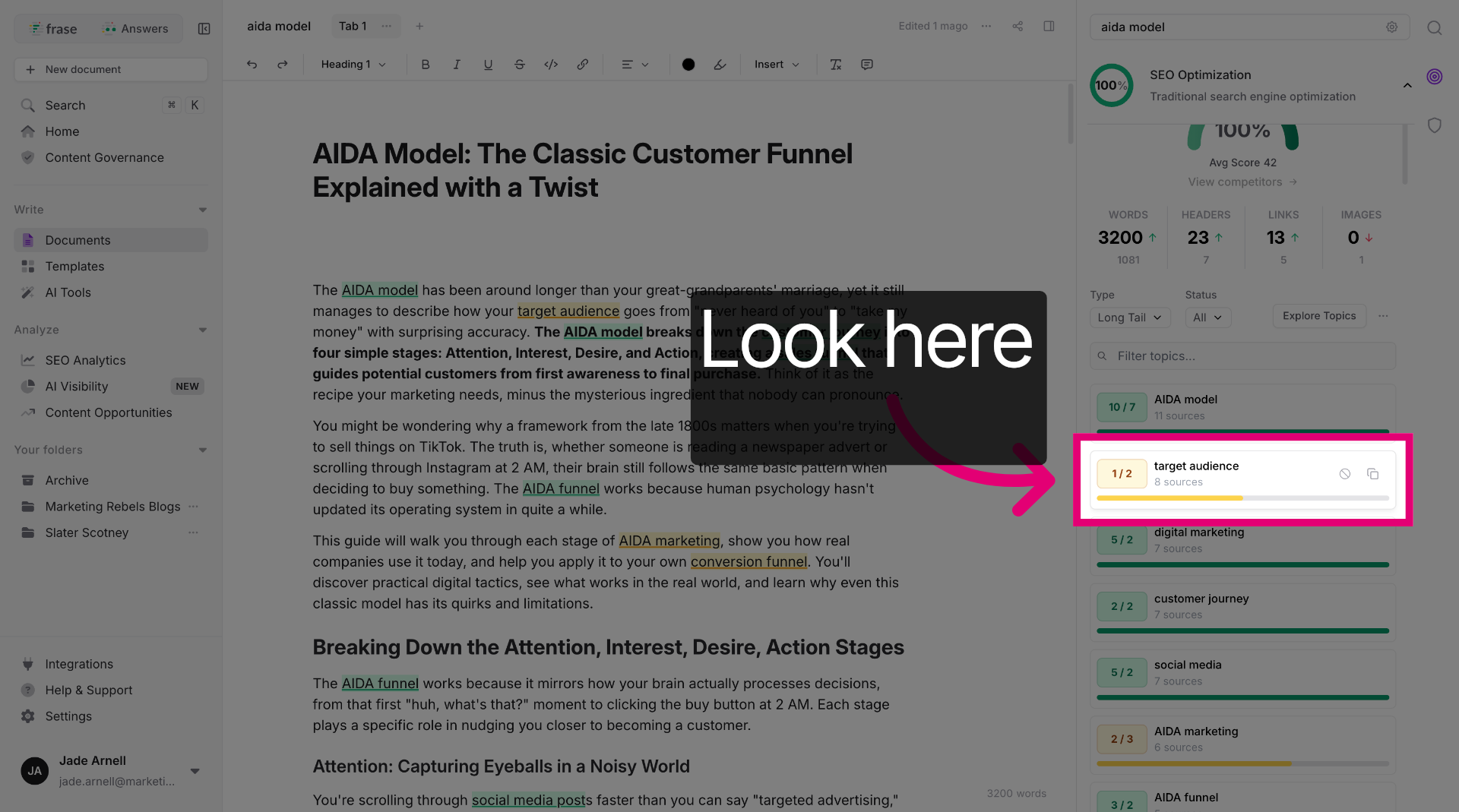
Congratulations, you have successfully created and optimised SEO content using Frase and Koala AI!
Some Things To Remember:
Maintaining Authority, Relevance, and Freshness
Your content needs to prove it knows what it's talking about and that it hasn't been gathering dust since 2019. AI engines and search algorithms now favour sites that demonstrate real expertise and keep their information current, not ones that regurgitate outdated facts or anonymous advice.
E-E-A-T: Experience, Expertise, Authoritativeness, Trustworthiness
Google's E-E-A-T framework isn't just SEO jargon, it's how AI systems decide whether your content deserves to be quoted or ignored.
Experience means you've actually done the thing you're writing about. Include real examples, case studies, or first-hand accounts. An author bio helps too, even a brief one explaining your background makes your content more credible than anonymous text floating in the void.
Expertise shows you understand the topic deeply. Use specific details, explain nuances, and avoid surface-level generalisations that sound like they came from a content mill.
Authoritativeness builds over time through consistent, quality output. Link internally to related content you've created. This shows AI engines you're building a knowledge base, not just churning out random articles.
Trustworthiness requires transparency. Display author details, keep contact information visible, and use HTTPS. AI systems check these signals before deciding if you're worth citing.
Citing Reliable External Sources and Using Original Data
Linking to credible sources doesn't weaken your content, it strengthens it by showing you've done your research.
Choose current and trustworthy sources like government websites, academic journals, established industry publications, or verified brand studies. Avoid citing content farms or sites with dodgy reputations.
When you reference statistics or claims, include the year and a clickable link. AI engines verify these citations when determining whether to trust your content. A "Sources & Evidence" section at the bottom of your page works well for longer articles.
Original data gives you an edge. Surveys, case studies, or proprietary research make your content uniquely valuable, something AI can't find elsewhere. Even small original insights help you stand out in a sea of recycled information.
Ensuring Ongoing Updates and GEO-Friendliness
Stale content signals to AI that your site might not be maintained. Fresh information shows you're still paying attention.
Review your important pages every 6–12 months. Update dates, statistics, screenshots, and examples. Replace outdated tools or references. Even minor refreshes signal that your content remains relevant.
Add a "Last updated" date near the top of articles. This tells both readers and AI engines that you've verified the information recently. It's a simple trust signal that takes seconds to implement.
For GEO-friendliness, structure updates around clear questions and answers. Use question-style headings and short paragraphs. Keep your schema markup current, especially dateModified fields in structured data.
Don't just update for the sake of it. Make sure changes actually improve accuracy or add value. AI systems can detect superficial edits that don't meaningfully refresh the content.
Following this process helped my agency rank in the top spot above world-leading companies within weeks. So give it a go and check back in with us to let us know your results.
Latest resources

6th May 2026
How to Ask for — and Get — a Pay Rise
Your complete, step-by-step guide to negotiating a salary increase in the UK Asking for a pay rise can feel uncomfortable, but with the right preparation,...
Read
16th April 2026
SEO vs PPC: Which delivers Better Results?
Digital marketing can be an absolute minefield (as we all know!), but for consistent results, you can't go far wrong (if you do it right!)...
Read

16th April 2026
AIDA Model: The Classic Customer Funnel Explained
The AIDA model has been around longer than your great-grandparents' marriage, yet it still manages to describe how your target audience goes from "never heard...
Read