
Log in

Resource
Step-by-Step Guide: Writing an SEO Optimised Blog
Contents
- What is SEO and Why Does It Matter?
- Key SEO Ranking Factors
- Identifying Your Target Audience's Search Intent
- Using Keyword Research Tools
- Selecting Primary and Secondary Keywords
- Crafting a Compelling Title and Meta Description
- Structuring Your Blog Post for Readability and SEO
- Integrating Keywords Naturally
- Optimising Images and Multimedia
- Internal and External Linking
- URL Structure
- Page Speed Optimisation
- Sharing Your Blog Post
- Monitoring Performance with Google Analytics and Google Search Console
- Updating and Republishing Old Content
Published on
15th April 2026
Read time
13 mins
Sign up to our newsletter
Get the latest course, community and company news!
This guide will walk you through the essential steps to creating a blog post that is not only informative and engaging but also optimised for search engines (SEO). It's all well and good writing about interesting topics, but if there's no search for it and it's not optimised, nobody is going to read it anyway!

Understanding SEO Fundamentals
Before you dive into writing, let's get a handle on the basics of SEO.
What is SEO and Why Does It Matter?
- Definition: SEO, or Search Engine Optimisation, is the practice of increasing the quantity and quality of traffic to your website through organic search engine results. There's also GEO (Generative Engine Optimisation) which is optimising content to be found in LLMs. But, don;t worry, they both work in similar ways, with some key principles covering both.
- Importance:
- Increased visibility and traffic.
- Improved credibility and trust.
- Better user experience.
- Cost-effective marketing strategy.
Key SEO Ranking Factors
| Factor | Description |
|---|---|
| Keywords | Words and phrases users type into search engines to find information. |
| Content Quality | Relevant, valuable, and comprehensive content that addresses user intent. |
| Backlinks | Links from other reputable websites to your content, indicating authority. |
| Page Speed | How quickly your web pages load. |
| Mobile-Friendliness | Your website's ability to display correctly on mobile devices. |
| User Experience | How easy and enjoyable it is for users to navigate your site. |
Keyword Research
Finding the right keywords is the foundation of any SEO-optimised blog post. If you chose something random or get too creative, the chances are, your content won't get found. I know it's tempting to think of clever, flouncy titles for blogs, but it won't serve you well int he long run - we're not journalists covering news, we're writing to get our content found.
Identifying Your Target Audience's Search Intent
There are different types of intent that you need to consider. Think about who you're writing for and what goal they are trying to achieve. Blogs are usually informational that can draw your users into a clear marketing funnel, they are rarely transactional:
- Informational: Users looking for answers to specific questions (e.g., "how to write a blog post").
- Navigational: Users looking for a specific website or page (e.g., "Google Docs").
- Transactional: Users looking to make a purchase (e.g., "buy SEO tools").
- Commercial Investigation: Users researching products or services before making a decision (e.g., "best SEO software reviews").
Using Keyword Research Tools
You don’t need to guess what people are searching for. There are tools that literally tell you. Use them.
Here are three of the most common ones and how to actually get value from them:
Google Keyword Planner
Free, straight from Google, and a solid starting point if you’re on a budget.
What it’s good for:
- Finding keyword ideas based on a topic or website
- Seeing rough search volume (how many people search for it each month)
- Spotting seasonal trends
What to keep in mind:
- The data is broad, not precise. You’ll often see ranges instead of exact numbers
- It’s built for advertisers, not content writers, so it’s not always intuitive
How to use it:
Start with a simple topic like “blog writing” and look at the suggested keywords. You’re looking for phrases people actually type, not what you think they type.
SEMrush
A paid tool, but a very powerful one if you’re serious about SEO.
What it’s good for:
- Deep keyword research with accurate data
- Understanding keyword difficulty (how hard it is to rank)
- Competitor analysis, so you can see what’s already working
What to keep in mind:
- It can feel overwhelming at first. There’s a lot going on
- You don’t need to use every feature. Stick to keyword research and competitor insights to start
How to use it:
Plug in a keyword and look at:
- Search volume
- Keyword difficulty
- Related keywords and questions
Then check who’s ranking on page one. If it’s all huge brands, you may want to rethink your approach or go more niche.
Ahrefs
Another premium tool and a favourite in the SEO world.
What it’s good for:
- Keyword research and content ideas
- Backlink analysis (who’s linking to what)
- Finding content gaps your competitors haven’t covered
What to keep in mind:
- Similar to SEMrush, it’s powerful but not beginner-light
- The real value comes when you use it to reverse-engineer competitors
How to use it:
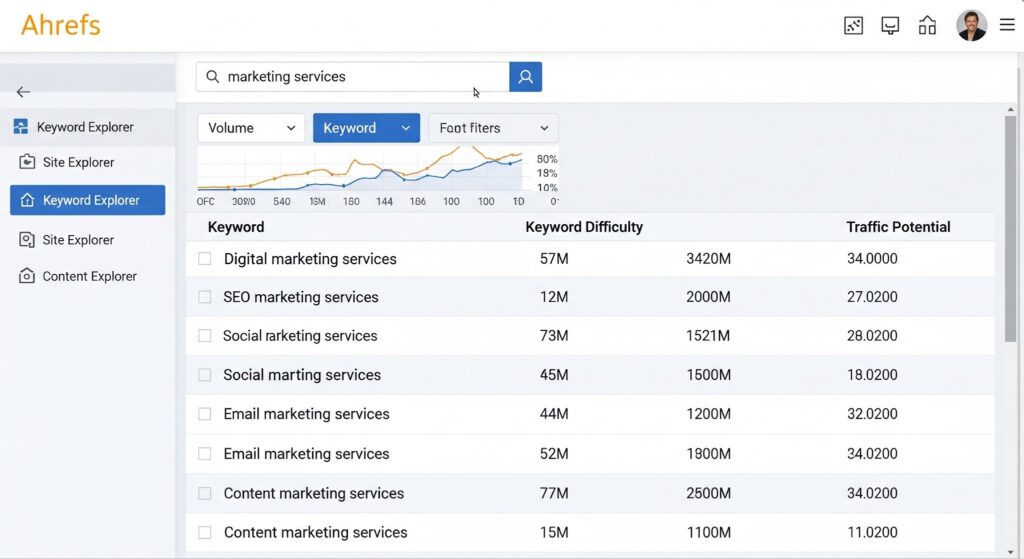
Use the “Keywords Explorer” or “Content Explorer” to:
- Find high-performing content in your niche
- See what keywords those pages rank for
- Identify opportunities where you can create something better or more up to date
Quick reality check:
Tools don’t replace thinking. Just because a keyword has volume doesn’t mean it’s right for your audience or your business.
Use the data as a guide, not gospel.

Selecting Primary and Secondary Keywords
This is where a lot of people go wrong. They either try to target everything or pick something so broad they’ve got no chance of ranking.
You need focus.
Primary Keyword
This is the main keyword you want your blog post to rank for. One page, one core topic. That’s the rule.
What makes a good primary keyword:
- It clearly matches what your blog is about
- It has actual search demand (people are looking for it)
- It’s realistic for you to rank for (not dominated by massive brands)
For example:
Instead of going after something vague like “SEO”, go for something more specific like “SEO blog writing” or “how to write an SEO blog”.
How to choose it:
Look at search volume and competition. A keyword with huge volume might look appealing, but if page one is full of industry giants, you’re wasting your time. Go more niche and more targeted.
Secondary Keywords
These are the supporting keywords that help search engines understand the full context of your content.
Think of them as all the different ways someone might search for the same topic, or related questions they might have.
What they do:
- Add depth to your content
- Help you rank for multiple related searches
- Make your writing feel more natural (instead of repeating the same phrase over and over)
Examples for a primary keyword like “SEO blog writing”:
- “how to optimise a blog post”
- “blog SEO tips”
- “writing content for search engines”
- “on-page SEO for blogs”
How to actually use them (without overthinking it):
- Use your primary keyword in the key places (title, intro, headings)
- Use secondary keywords naturally throughout the content
- Don’t force it. If it sounds awkward, it is
The golden rule:
You’re not writing for a keyword. You’re writing for a topic.
Keywords just help search engines connect the dots.
LSI Keywords: Where The Magic Happens!
LSI (Latent Semantic Indexing) keywords sound technical, but the concept is actually simple.
They’re the words and phrases that naturally sit around your main topic.
So instead of just repeating your primary keyword over and over (which doesn’t work, by the way), you build a web of related terms that help search engines properly understand what your content is about.
What Are LSI Keywords (in plain English)?
LSI keywords are:
- Related terms
- Supporting phrases
- Commonly associated language around a topic
For example, if your primary keyword is “SEO blog writing”, your LSI keywords might include:
- “meta description”
- “keyword research”
- “on-page SEO”
- “internal linking”
- “search intent”
You haven’t just written about one keyword. You’ve covered the whole topic.
Why Search Engines (and Generative Engines) Love Them
Search engines like Google, and generative engines (LLMs like ChatGPT), don’t just scan for exact keywords anymore. They’re trying to understand meaning.
LSI keywords help them do that.
Here’s what they signal:
- Relevance – You’re actually covering the topic properly, not just name-dropping a keyword
- Depth – Your content isn’t thin or surface-level
- Context – The engine can clearly connect your page to a wider set of related searches
For generative engines (GEO), this matters even more.
If your content includes strong semantic coverage:
- It’s more likely to be pulled into AI-generated answers
- It’s easier for models to summarise and trust
- It positions your content as a source, not just another blog
In short: LSI keywords help you go from “a page about a keyword” to “a page worth referencing”.
How to Find LSI Keywords (Without Guessing)
You could brainstorm these manually… but honestly, tools will do it faster and better.
Here’s how to approach it properly:
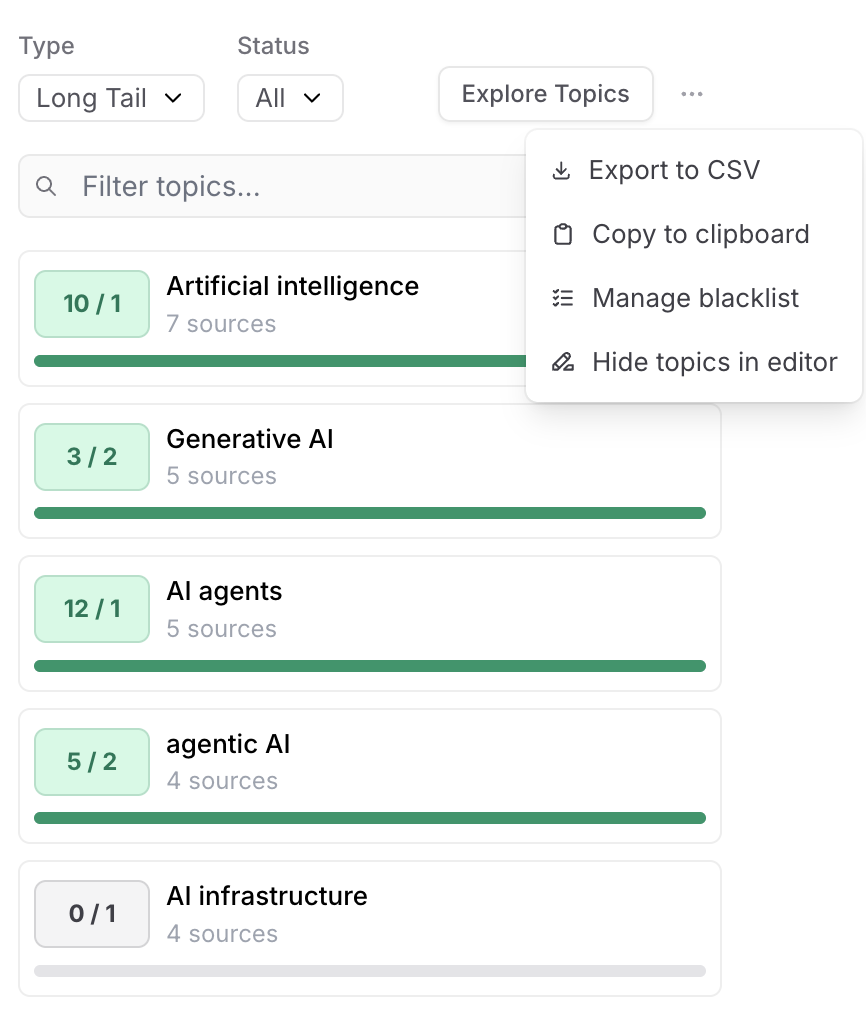
1. Use Frase or Surfer to Analyse the SERP
Both tools are built for this exact job.
What they do:
- Analyse the top-ranking pages for your keyword
- Pull out common terms and phrases used across those pages
- Show you what you’re missing
How to use them:
- Enter your primary keyword
- Review the suggested terms (these are your LSI keywords)
- Look for patterns, not just a checklist
You’ll start to see the same phrases coming up again and again. That’s your clue.
2. Compare Against Competitors (This is where the gold is)
Don’t just look at keyword lists. Look at what’s actually ranking.
Ask yourself:
- What topics are competitors covering that you’re not?
- What subheadings keep appearing?
- What questions are they answering?
If every top-ranking article mentions “meta descriptions” and you don’t, that’s a gap.
And gaps are why pages don’t rank.
3. Use the Tools to Score Your Content
Frase and Surfer both give you a content score based on how well your content matches what’s ranking.
What this tells you:
- Whether you’ve covered the topic deeply enough
- Which terms you’re missing
- How competitive your content is before you publish
This is where you move from guessing to knowing.
4. Sanity Check: Don’t Turn It Into a Keyword Dump
This is where people mess it up.
Just because a tool suggests a term doesn’t mean you should force it in.
If your content reads like this:
“SEO blog writing meta description keyword research LSI keywords content optimisation…”
You’ve lost the plot.
Instead:
- Write naturally
- Cover the topic properly
- Use LSI keywords where they actually make sense
The Bottom Line
LSI keywords aren’t a hack. They’re a signal of quality.
If your content genuinely covers a topic well, they’ll show up naturally. Tools just help you spot what you’ve missed.
And if you’re not using them?
You’re probably writing thinner content than you think.
Content Creation
Now it's time to write your SEO-optimised blog post.
Crafting a Compelling Title and Meta Description
- Title Tag: Your blog post's title as it appears in search engine results.
- Include your primary keyword.
- Keep it concise (ideally under 60 characters).
- Make it engaging and clickable.
- Meta Description: A brief summary of your blog post that appears under the title in search results.
- Include primary and secondary keywords.
- Entice users to click.
- Keep it around 150-160 characters.
Structuring Your Blog Post for Readability and SEO
- Introduction: Hook your reader and introduce the topic. Include your primary keyword naturally.
- Headings and Subheadings (H1, H2, H3, etc.): Break up your content and improve readability. Incorporate keywords naturally.

- Body Paragraphs: Provide valuable information, use short paragraphs, and include secondary keywords.
- Conclusion: Summarise your main points and include a call to action (CTA).
Integrating Keywords Naturally
- Avoid Keyword Stuffing: Don't overuse keywords; it can harm your SEO.
- Use Synonyms and Variations: Diversify your keyword usage.
- Place Keywords Strategically:
- In the title and meta description.
- In the introduction and conclusion.
- In headings and subheadings.
- Throughout the body content, where it makes sense.
- LSI Keywords (Latent Semantic Indexing): As we've learnt, these are conceptually related terms that search engines use to understand the overall context of a webpage. Unlike exact match keywords, LSI keywords are not always synonyms but rather terms that frequently appear together in high-quality content about a specific topic. Including LSI keywords helps search engines recognise the depth and relevance of your content, preventing keyword stuffing and improving your post's chances of ranking for a wider range of related queries.
Optimising Images and Multimedia
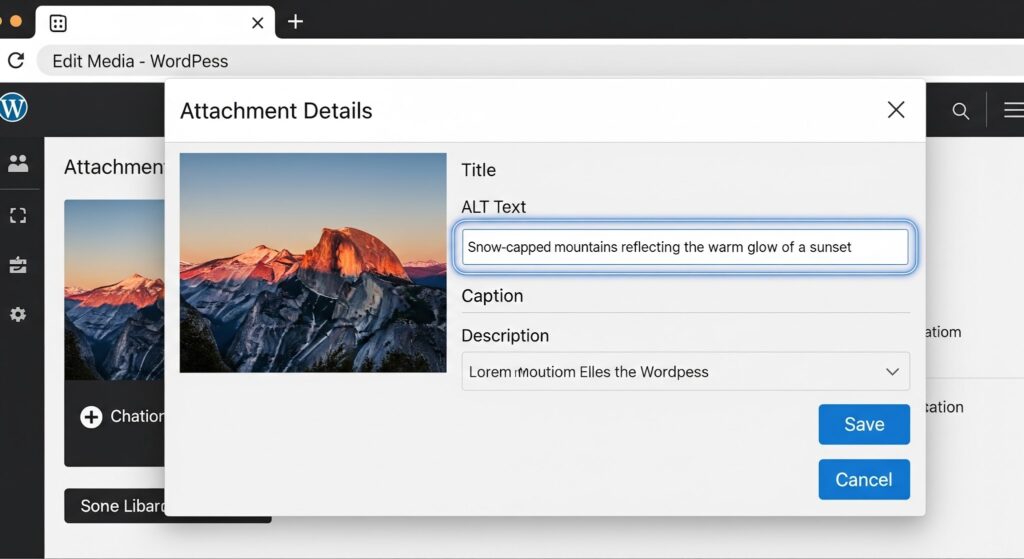
- File Names: Use descriptive, keyword-rich file names (e.g., "seo-blog-writing-guide.jpg").
- Alt Text: Provide a brief, descriptive alternative text for images. This helps search engines understand the image content.
- Compress Images: Reduce file size to improve page loading speed.
On-Page and Technical SEO
Beyond content, there are other on-page and technical elements to optimise.
Internal and External Linking
- Internal Links: Links to other relevant pages on your own website.
- Helps search engines understand your site structure.
- Keeps users on your site longer.
- External Links: Links to credible external websites.
- Establishes authority and provides valuable resources for your readers.
URL Structure
- Keep URLs Short and Descriptive: Use keywords in your URLs.
- Use Hyphens to Separate Words: Avoid underscores.
Page Speed Optimisation
- Minimise HTTP Requests: Reduce the number of files (images, CSS, JavaScript) that need to be loaded.
- Enable Browser Caching: Allows returning visitors to load your site faster.
- Use a Content Delivery Network (CDN): Delivers content from servers closer to your users.
Promotion and Monitoring
Your work isn't done after publishing. Promote your blog and track its performance.
Sharing Your Blog Post
- Social Media: Share your post on relevant social media platforms.
- Email Marketing: Include your blog post in your email newsletters.
- Online Communities: Share in relevant forums, groups, or communities (where appropriate and not spammy).
Monitoring Performance with Google Analytics and Google Search Console
- Google Analytics: Track website traffic, user behavior, and conversions.

- Google Search Console: Monitor your website's search performance, identify indexing issues, and see which keywords you're ranking for.
Updating and Republishing Old Content
- Keep Content Fresh: Regularly update your blog posts with new information and data.
- Improve SEO: Re-optimise older posts with new keywords or better content.
- Republish: Consider changing the publish date to bring older content back to the forefront.
Next Steps
- Need a more in-depth look into SEO content writing? Try our SEO content writing course, designed for writers, marketeers and newcomers to the industry.
Latest resources

6th May 2026
How to Ask for — and Get — a Pay Rise
Your complete, step-by-step guide to negotiating a salary increase in the UK Asking for a pay rise can feel uncomfortable, but with the right preparation,...
Read

16th April 2026
Create SEO & GEO Optimised Content
The rules of online visibility have changed, and pretending otherwise is like showing up to a rocket launch with a horse and cart. For the...
Read

16th April 2026
SEO vs PPC: Which delivers Better Results?
Digital marketing can be an absolute minefield (as we all know!), but for consistent results, you can't go far wrong (if you do it right!)...
Read